



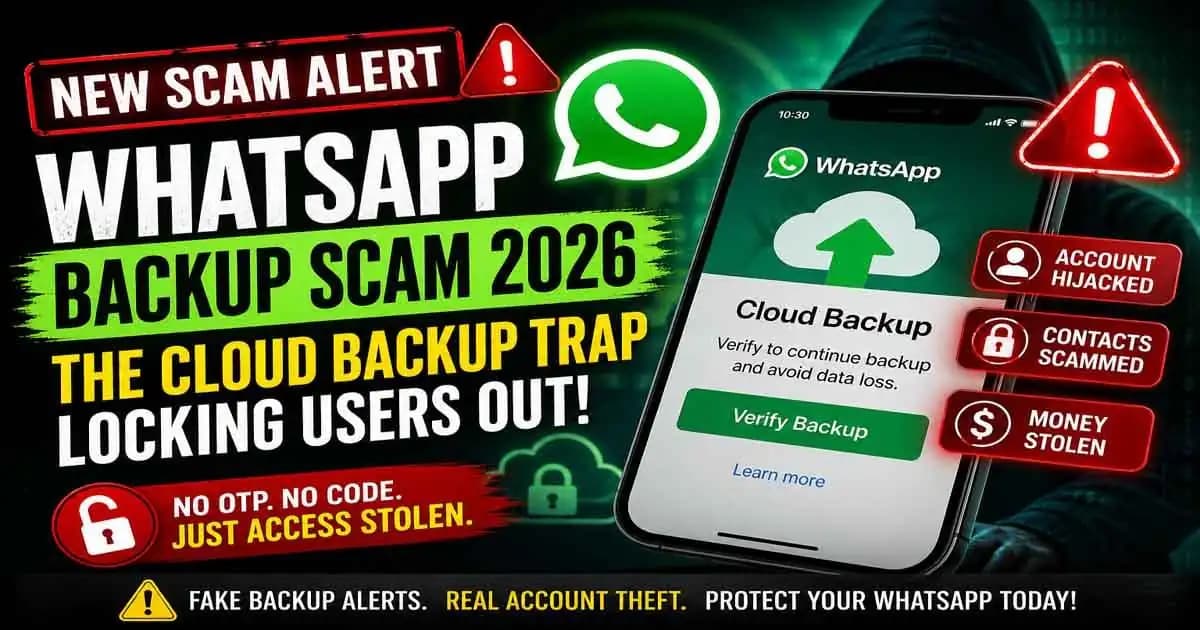
WhatsApp Backup Scam 2026 is not the kind of scam most people expect.
There is no fake lottery, no stranger asking for money, and sometimes not even a request for your OTP code. That is exactly why so many people fall for it.
It often starts during a completely normal day.
Rashid was trying to clear storage on his phone after seeing the familiar “storage almost full” Warning. His WhatsApp held years of family photos, work files, voice notes, and important personal conversations.
Like most users, he trusted cloud backup without thinking much about how it worked.
That afternoon, he received a message that looked like it came from WhatsApp support.
It said his recent cloud backup had sync issues and warned that failed backups could cause message loss if he Changed phones later. The message included a support page link and instructions to “reconnect cloud backup access.”
It didn’t feel like a scam.
It felt helpful.
So he clicked.
The Fake Backup Verification Page Looked Real
The page looked exactly like something from the official WhatsApp Help Center.
It had familiar green branding, clean support-style formatting, and backup icons that looked genuine. It asked him to confirm the Google account connected to his WhatsApp backup and verify “backup ownership.”
Still, there was no OTP request.
That made it feel safe.
He signed in with his Google account, approved what looked like a backup permission request, and closed the page thinking the issue was solved.
The next morning, WhatsApp showed a strange message:
“Your account is being registered on a new device.”
A few minutes later, he was logged out.
Completely.
How Hackers Steal Accounts Without Asking for OTP
This is where the scam becomes dangerous.
Rashid never shared his OTP.
Instead, the attacker used a verification loop involving cloud backup permissions, email access, linked devices, and account recovery flows.
By the time he realized something was wrong, his contacts were already receiving messages asking for urgent money transfers.
This is the modern version of WhatsApp fraud.
It is quieter.
It feels normal.
And it often works.
Why Cloud Backups Have Become a New Scam Target
For years, users were taught one simple rule:
Never share your OTP.
Scammers adapted.
Instead of asking for verification codes directly, they now target the systems around your account especially cloud backups.
WhatsApp backup connects to something people trust deeply:
- Google Drive
- iCloud
- Apple ID
- Gmail recovery access
- Linked devices
When users see a Warning (1) related to backup protection, they assume it must be legitimate.
That trust is what scammers exploit.
The “Verification Loop” That Tricks Users
In many recent cases, victims receive messages through:
- SMS
- WhatsApp messages
- Fake support notifications
The message usually claims:
- Backup sync failed
- Suspicious restore attempt detected
- Device migration issue found
- Cloud backup needs reconnection
These messages sound believable because people often:
- Change phones
- Reinstall WhatsApp
- Run out of storage
- Travel internationally
- Restore old chats
The scam arrives exactly when it makes sense.
That is why people trust it.
The Real Problem: You Gave Permission, Not a Code
After losing access, many victims say the same thing:
“I never shared my OTP.”
And they are right.
They gave something else.
They gave permission.
That permission might be:
- Email account access
- Backup authorization
- Account recovery approval
- Device linking confirmation
Psychologically, this is harder to notice because it feels like solving a technical issue not falling for a scam.
That is what makes it effective.
What Happens After Your WhatsApp Is Taken Over
Once attackers control the account, they move fast.
They usually message:
- Parents
- Siblings
- Close friends
- Clients
- Business contacts
They ask for:
- Emergency money transfers
- Help during travel
- Urgent payment requests
- Verification help for another service
Because the message comes from the real account, people believe it.
Sometimes attackers even use old conversations to make the story more convincing.
They already know names, relationships, and personal details.
That makes impersonation much easier.
Recovering the Account Can Be Difficult
Many users still have their SIM card but cannot access WhatsApp.
Some discover:
- New linked devices
- Changed recovery settings
- Weak email security
- Backup permissions they forgot approving
This is the uncomfortable truth:
WhatsApp security is no longer just about WhatsApp.
Your real security depends on:
- Your email account
- Your cloud storage access
- Your phone permissions
- Your recovery settings
A strong WhatsApp password means very little if your connected Google or Apple account is weak.
How to Protect Yourself From the WhatsApp Backup Scam 2026
Start by being suspicious of any backup Warning again sent through links.
Real support teams do not randomly message users asking them to reconnect cloud backup access.
Always check backup issues inside the official WhatsApp settings.
Never through message links.
Also:
Review Linked Devices Regularly
Most people never check linked devices until something goes wrong.
Make it a habit.
Secure Your Email Account
Your email is often the real front door.
Use:
- Strong passwords
- Two-factor authentication
- Recovery email checks
Read Permission Screens Carefully
People fear OTP warnings but click “Allow” on permission screens too quickly.
Sometimes that approval is even more dangerous.
Tell Family Members
Older users are often warned about fake prize messages.
Far fewer people know about fake backup recovery scams.
This scam works best when nobody expects it.
The Lesson Most Victims Learn Too Late
Rashid eventually recovered his account after several stressful days.
But by then, some of his contacts had already sent money to the scammer.
What bothered him most was not losing access.
It was how normal everything felt.
He did not ignore obvious red flags.
He simply trusted something that looked routine.
That is why WhatsApp Backup Scam 2026 is spreading so quickly.
It hides inside everyday behavior.
It turns simple maintenance into manipulation.
And often, the most dangerous scams are the ones that never feel like scams at all.
FAQ
Can someone steal my WhatsApp without asking for my OTP?
Yes. Some scams now target cloud backup permissions, linked email access, and recovery settings instead of directly asking for your OTP.
Is WhatsApp cloud backup unsafe?
Not necessarily. The danger usually comes from fake support pages or compromised Google Drive, iCloud, or email access.
How do I know if a backup warning is fake?
If it arrives through a message with an external link, be careful. Always verify backup issues inside official WhatsApp settings.
What should I do if I get logged out suddenly?
Immediately try to re-register your account, check linked devices, secure your email account, and warn your contacts.
Does two-step verification help?
Yes. Enabling WhatsApp two-step verification and protecting your email account adds strong protection against account recovery scams.





