



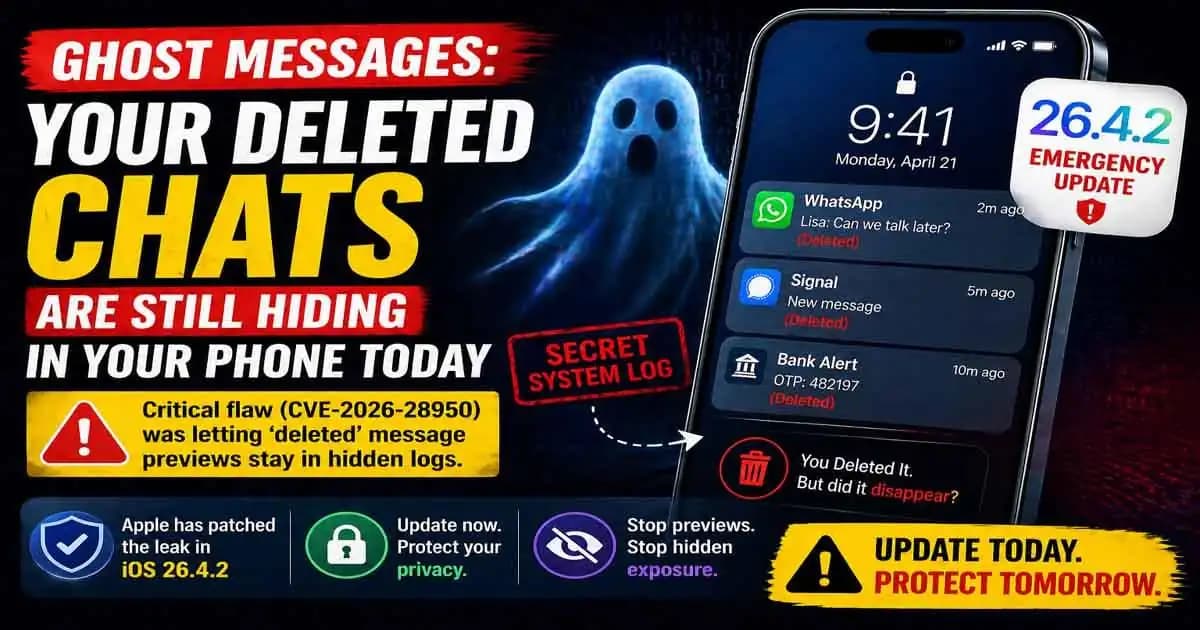
iOS 26.4.2 emergency update matters because many iPhone users have done the same simple thing: swipe away a private notification, watch it disappear, and assume it is gone. In 2026, that assumption became less certain after Apple patched a Notification Services flaw tracked as CVE-2026-28950, where notifications marked for deletion could be unexpectedly retained on the device. Apple says the issue was a logging problem fixed with improved data redaction.
Imagine receiving a sensitive Signal or WhatsApp message while your phone is on the table. You glance at the preview, delete the notification, and maybe even delete the chat later. On the screen, everything looks clean. But the concern behind this update is that the phone may have kept a Hidden record of that notification preview somewhere deeper in the system.
That is why people are calling this a “ghost message” problem. Not because the app failed to delete your chat, but because the operating system may have held onto a trace of what appeared in the notification.
The Emergency Alert: What Apple Fixed
Apple released iOS 26.4.2 and iPadOS 26.4.2 to address this Notification Services issue. The official security note says notifications marked for deletion could be unexpectedly retained, and that Apple addressed the logging issue with improved data redaction.
Security outlets also reported that the flaw affected deleted notification data and was linked to concerns around recoverable message previews, including from encrypted messaging apps.
For everyday users, the most important point is simple: this was not about someone guessing your password or breaking into your WhatsApp account. It was about notification data being handled at the system level.
That makes it more subtle.
The Hidden Log: How Notifications Can Outlive Deletion
A notification is not the same as a message inside an app.
When someone sends you a message on Signal, WhatsApp (1), iMessage, Telegram, or another app, the app may be encrypted. But if your phone shows a preview on the Lock Screen or Notification Center, iOS has already processed enough information to display that alert.
That preview may contain:
- Sender name
- Message text
- OTP codes
- Banking alerts
- Private work updates
- Account recovery messages
When you swipe the notification away, you are removing it from view. But the flaw raised concern because deleted notification records could still persist inside device logs or notification storage.
That is the uncomfortable difference between “gone from screen” and “gone from device.”
Why Signal and WhatsApp Still Matter Here
A lot of users hear this and immediately ask: “Does this mean encrypted apps are broken?”
No.
This does not mean Signal or WhatsApp encryption failed. The issue sits outside the encrypted chat itself. It involves notification previews handled by iOS after the app sends information to the system for display.
This is why even secure apps can be affected by a system-level privacy weakness.
If Signal protects the message inside the app, but the notification preview appears on the iPhone Lock Screen, that preview becomes part of the operating system’s notification flow. If the operating system retains that preview longer than expected, privacy can be weakened without the messaging app itself being compromised.
That is the real lesson: privacy is a chain, and the weakest link is not always the app.
The Law Enforcement Link: Why This Became Big News
The issue gained attention because reports connected the flaw to forensic recovery of deleted Signal message previews. Several technology and security publications reported that forensic Access to notification databases could allow recovery of message previews even after a user believed they were deleted.
This does not mean every person is suddenly exposed to remote spying. The realistic risk usually requires physical access to the device, forensic tools, extracted backups, or a high-investigation context.
But the story matters because it shows how data can survive in unexpected places.
Most people think privacy depends only on app deletion, disappearing messages, or clearing chats. In reality, phones create many small records in the background. Some are useful for performance. Some are needed for features. But when those records include private previews, they become sensitive.
The Transparency Problem: Your Phone Has More Memory Than You Think
The average user sees only the surface of the phone.
You see the chat.
You see the notification.
You see the delete button.
You see the cleared screen.
But under the surface, your phone has databases, logs, caches, backups, sync records, and system services. Most of them are invisible unless something goes wrong or a forensic tool looks for them.
That is why this update feels different from a normal bug fix.
It reminds users that privacy is not only about what you intentionally save. It is also about what your phone temporarily stores while helping you use apps smoothly.
That includes notifications.
Who Should Be Most Concerned?
Most users should update, adjust settings, and move on.
But some people should be more careful:
People who receive sensitive work messages, legal communications, financial alerts, medical notifications, private relationship messages, or security codes should treat notification previews as sensitive data.
The risk is higher if your phone has been:
- Taken for repair by an unknown technician
- Shared with someone untrusted
- Backed up to a computer you do not control
- Seized, inspected, or copied
- Used without a strong passcode
Again, this is not about panic. It is about understanding where exposure can happen.
The 2026 Privacy Audit: What You Should Do Now
Start with the update.
Go to:
Settings > General > Software Update
Install iOS 26.4.2 or the latest available version for your device. Apple’s official security updates page confirms the fix for CVE-2026-28950 in iOS 26.4.2 and iPadOS 26.4.2.
Then review notification previews.
Go to:
Settings > Notifications > Show Previews
For better privacy, choose:
When Unlocked or Never
This prevents sensitive text from appearing freely on your Lock Screen.
Finally, open notification settings for individual apps. Messaging apps, banking apps, password managers, email, health apps, and work tools deserve extra attention. Not every app needs Lock Screen access. Not every alert needs a preview.
What If You Already Deleted Sensitive Messages?
If you are worried about old notifications, update first. That closes the known issue going forward.
Then think about what type of data may have appeared in previews.
If it involved OTPs, bank alerts, or account recovery codes, review account activity and change important passwords. If it involved private chats, reduce previews now. If your device was physically accessed by someone else, take the concern more seriously.
For most users, the best protection is not extreme. It is basic hygiene:
Update the phone.
Hide previews.
Use a strong passcode.
Avoid untrusted backups.
Do not hand an unlocked phone to people you do not trust.
The Real Lesson: Deleted Should Mean Deleted
The iOS 26.4.2 emergency update is a reminder that privacy does not begin when you delete something. It begins when the information first appears.
A notification may feel temporary, but it can reveal a lot: who contacted you, what they said, what account you use, where you shop, what bank you use, or what code you received.
That is why treating notifications as private data is now part of modern phone safety.
Your encrypted app may be doing its job. Your message may disappear from the chat. But if the preview appears somewhere else, that preview deserves protection too.
FAQ
What is the iOS 26.4.2 emergency update?
It is an Apple security update that fixes CVE-2026-28950, a Notification Services issue where deleted notifications could be unexpectedly retained on the device.
Does this mean WhatsApp or Signal encryption is broken?
No. The issue is with iOS notification handling, not the encryption inside Signal or WhatsApp.
Can hackers remotely read my deleted notifications?
The known risk is not ordinary remote access. It is more relevant when someone has device access, forensic tools, or extracted device data.
Should I turn off all notifications?
Not necessarily. A practical approach is to hide previews and limit Lock Screen alerts for sensitive apps.
How do I protect my iPhone now?
Update your device, set notification previews to “When Unlocked” or “Never,” and review sensitive app notification settings.





