



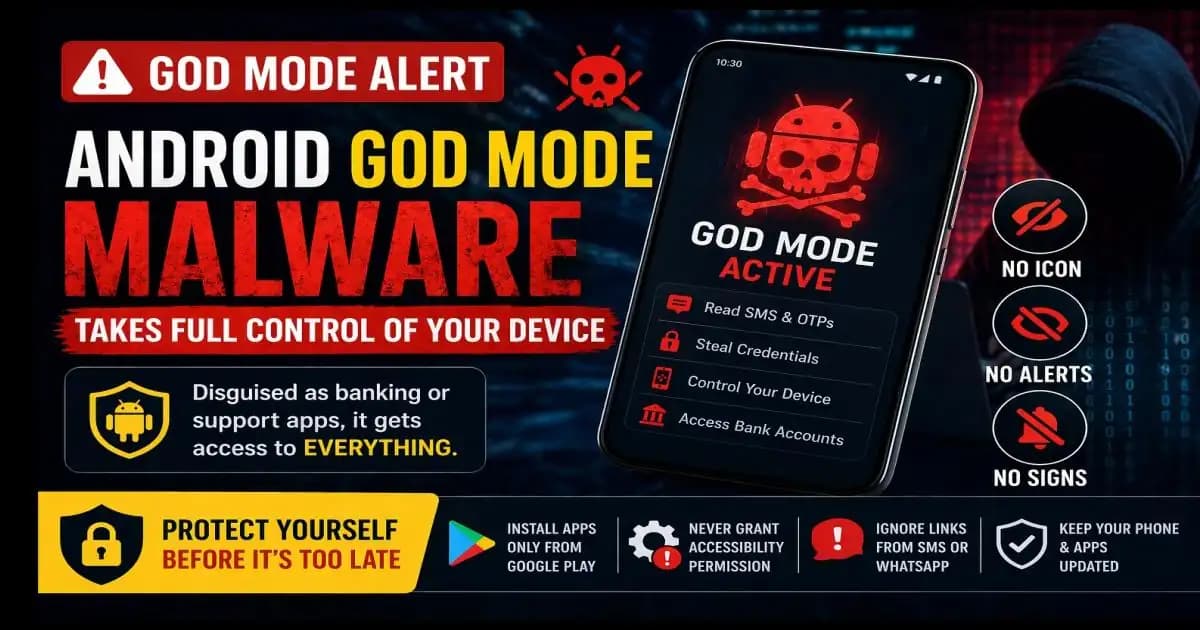
Android GOD Mode malware didn’t sound like something Rahul needed to worry about when he first saw the message.
It came in the middle of a busy afternoon, buried between work Notifications and family WhatsApp chats.
“Important: Your bank app requires an urgent security Update. Download now to avoid account restrictions.”
The message looked clean. No spelling mistakes. It even used the bank’s name correctly. There was a link but Rahul didn’t click it.
Instead, he searched for the update himself.
That’s when things took a turn.
A download that felt… responsible
Rahul typed his bank’s name into Google and found what looked like a support page. It wasn’t the Play Store just a direct download link labeled “Latest Security APK.”
He hesitated for a second.
But the page looked professional. Familiar logo. Customer support number. Even a small note saying, “Due to recent issues, update (1) manually.”
He downloaded the file.
The app installed smoothly.
When he opened it, it looked almost identical to his real banking app. Same colors, same layout.
It even showed a message:
“To continue, please enable accessibility permissions for secure verification.”
Rahul didn’t fully understand what that meant.
But he tapped “Allow.”
The moment everything quietly changed
Nothing broke.
The app didn’t crash.
There were no pop-ups, no warning signs.
In fact, everything seemed normal.
Rahul even logged into his real banking app later that evening and checked his balance. All fine.
He forgot about the update entirely.
Until two days later.
The notification that didn’t make sense
Rahul woke up to three SMS messages.
Two OTPs he didn’t request.
And one transaction alert.
Money had been transferred out of his account.
He froze.
He hadn’t shared his OTP with anyone. No calls. No suspicious messages.
So how did someone access his account?
The warning that explains it all
Around the same time, India’s Ministry of Home Affairs, through the i4c (Indian Cyber Crime Coordination Centre), issued a public advisory about a new threat what many were calling Android GOD Mode malware.
It wasn’t just another fake app.
It was something more dangerous.
A type of Malware that, once installed, could take near-complete control of a device without the user realizing it.
And the key to that control wasn’t a hidden exploit.
It was a permission Rahul had granted himself.
The disguised trap most people don’t see
The trick wasn’t the message.
It wasn’t even the fake website.
The real trap was the APK file.
Unlike apps from the Play Store, APK files can be installed directly and that’s where attackers operate.
In 2026, these fake apps are more convincing than ever.
They mimic:
- Banking apps
- Customer support tools
- Delivery services
- Even government portals
Everything looks familiar.
Because familiarity lowers suspicion.
And once the app is installed, the real mechanism begins.
The one permission that changes everything
When Rahul tapped “Allow” on accessibility access, he unknowingly crossed what cybersecurity experts call the “red line.”
Accessibility services are designed for helpful reasons like assisting users with disabilities.
But when misused, they allow an app to:
- Read everything on your screen
- Capture keystrokes
- Click buttons automatically
- Control navigation
In simple terms, it gives the app the ability to act on your behalf.
This is what “GOD Mode” really means.
Not magic.
Just complete control.
What the attacker actually sees
Once the malware is active, the attacker doesn’t need your password.
They don’t need your OTP.
They don’t even need to “hack” your account.
Because your phone becomes the tool.
When Rahul opened his banking app, the malware was watching.
When he typed his PIN, it recorded it.
When the bank sent an OTP, the malware read the SMS instantly.
And when a transaction was initiated remotely, the malware approved it by interacting with the screen just like Rahul would.
To the bank, everything looked legitimate.
Because it was coming from Rahul’s device.
Why there were no warning signs
Rahul kept asking himself:
“Why didn’t I notice anything?”
The answer is uncomfortable.
Because this attack is designed to leave zero indicators.
No slowdown.
No strange pop-ups.
No visible intrusion.
The malware doesn’t interrupt it observes and acts quietly.
It only activates when needed.
Which means most users don’t realize anything is wrong until money is gone.
Why even careful users fall for it
Rahul wasn’t careless.
He didn’t click random links.
He didn’t share OTPs.
He tried to verify before downloading.
And that’s exactly why this type of attack works.
Because it targets trust, not ignorance.
It mimics:
- Urgency (update required)
- Authority (bank branding)
- Legitimacy (realistic interface)
And most importantly it removes obvious red flags.
By the time doubt appears, the damage is already done.
What Rahul did after and what it teaches
The moment Rahul realized what had happened, he contacted his bank and blocked his account.
He reset his passwords.
He factory reset his phone.
But the bigger change was awareness.
He now understood something critical:
Not all threats look like scams.
Some look like solutions.
A more grounded way to think about protection
You don’t need to be a cybersecurity expert to stay safe.
But you do need to recognize certain boundaries.
There are a few things that should immediately feel wrong:
Installing apps outside official stores.
Granting accessibility access to unknown apps.
Trusting urgent messages that push you to act quickly.
These are not minor decisions.
They are entry points.
The non-negotiable safety protocol
If there’s one takeaway from Rahul’s experience, it’s this:
Some actions are simply not worth the risk.
- Only install apps from Google Play Store
- Never enable accessibility permissions unless you fully trust the app
- Ignore update links from SMS or WhatsApp
- If unsure, open your official banking app directly never through links
These aren’t “tips.”
They are lines that should not be crossed.
Where this is heading next
As mobile threats evolve, attackers are shifting from breaking systems to using systems against users.
Permissions, features, and user behavior are becoming the new attack surface.
Which means protection is no longer just about software.
It’s about awareness.
Because in many cases, the strongest security control is still the one holding the phone.
FAQ
1. What is Android GOD Mode malware?
It’s a type of malware that gains full control of your device by abusing accessibility permissions.
2. Can antivirus apps detect this malware?
Sometimes, but not always especially if the app looks legitimate and is manually installed.
3. Why is accessibility permission dangerous?
Because it allows apps to read your screen, capture input, and perform actions without your direct interaction.
4. How do attackers get my OTP without asking me?
The malware reads your SMS and interacts with your apps directly.
5. What should I do if I suspect my phone is infected?
Disconnect from the internet, uninstall suspicious apps, and perform a factory reset immediately.





