



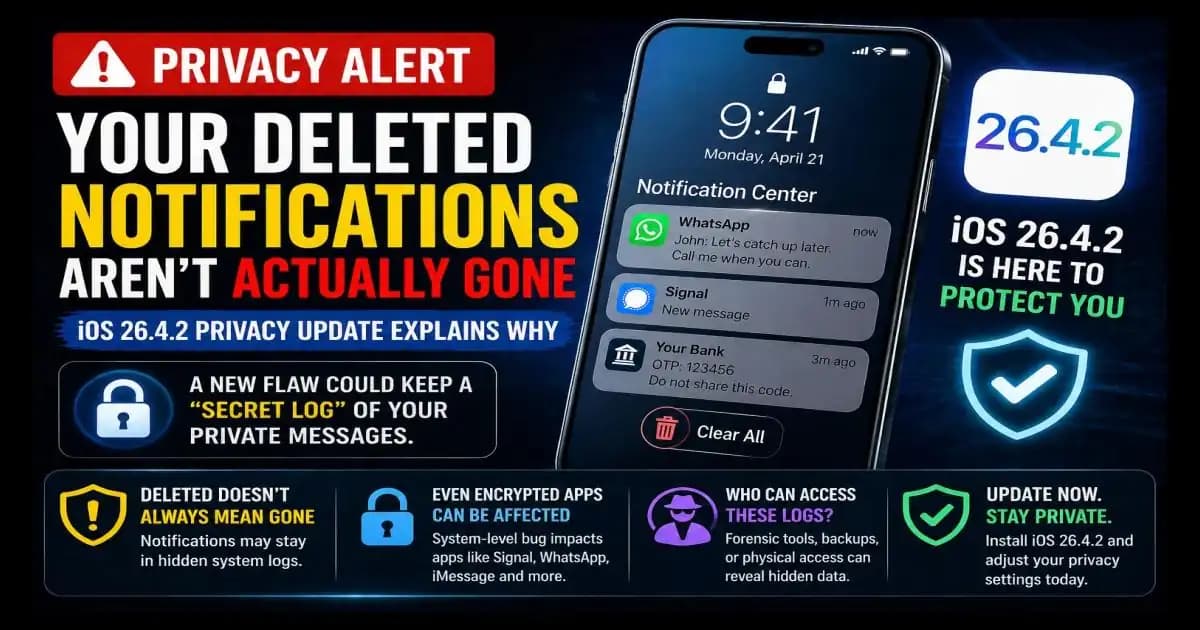
iOS 26.4.2 privacy update Matters because many iPhone users believe that when they swipe away a sensitive notification, it disappears for good but this update shows that deletion is not always as simple as it looks.
Imagine this: you receive a private WhatsApp message while sitting with friends. You glance at it, swipe the notification away, and feel comfortable because the message is gone from the Lock Screen. Later, you Delete the chat too. From your point of view, nothing remains.
The Privacy Concern Behind Deleted Notifications
But the recent concern around iOS notifications suggests something uncomfortable: in some cases, deleted notifications could still remain inside system-level storage on the device. Apple’s security note for iOS 26.4.2 and iPadOS 26.4.2 says a Notification Services issue meant “notifications marked for deletion could be unexpectedly retained on the device.” Apple says the update addressed this with improved data redaction. (Apple Support)
That sounds technical, but for everyday users it means this: your messaging app may be private, encrypted, and careful with disappearing Messages, but your phone’s operating system still handles notification previews. If the system keeps a record longer than expected, privacy can be weakened outside the app itself.
Why This Update Matters for Everyday Users
This is why the update is important.
Many people think of privacy as something controlled only Inside apps like Signal, WhatsApp, iMessage, or Telegram. If a chat is encrypted, they assume the message is protected everywhere. But notifications are different. When a message preview appears on your Lock Screen or Notification Center, iOS has already received and processed some information so it can show that alert.
That is convenient. It is also a reminder that privacy depends on the whole chain not just the app.
How Deleted Data Can Still Exist
The concern became more visible after reports linked the issue to forensic recovery of deleted notification data, including from encrypted messaging apps. TidBITS reported that iOS 26.4.2, iPadOS 26.4.2, iOS 18.7.8, and iPadOS 18.7.8 addressed a Notification Services vulnerability where deleted notifications could persist on devices. (TidBITS)
For most users, this does not mean someone across the internet can casually read your deleted notifications. The risk is more specific. Hidden logs or retained notification data generally require access to the device, forensic tools, Backups, or a serious security context. But that does not make it irrelevant. Phones are personal archives. They contain banking OTPs, private chats, work messages, medical reminders, Family conversations, and account recovery alerts.
Why Notifications Can Reveal More Than Expected
A small notification can reveal more than expected.
A WhatsApp preview might show a private sentence. A Signal alert might expose who contacted you. A banking notification might reveal a transaction. A delivery app might show your location pattern. Even if the full message is encrypted inside the app, the notification preview may still carry sensitive context.
This is why the phrase “deleted” can be misleading. Deleting something from view is not always the same as deleting it from every place the system temporarily stored it.
What You Should Do Now
For everyday iPhone users, the practical response is not panic. It is maintenance.
First, check your iOS version. Open Settings, tap General, then Software Update. If iOS 26.4.2 is available for your device, install it. Apple’s security releases page explains that Apple publishes security updates after fixes are available and recommends keeping devices updated for protection. (Apple Support)
Second, review notification previews. Go to Settings > Notifications > Show Previews. If you often receive sensitive messages, consider setting previews to When Unlocked or Never. This does not only protect you from people looking over your shoulder. It also reduces how much sensitive text appears in notification surfaces in the first place. Apple’s notification settings guide explains how users can control which apps send notifications and how alerts appear. (Apple Support)
Third, think carefully about which apps deserve Lock Screen alerts. Messaging apps, banking apps, password managers, email, and health apps often show information that feels small in the moment but sensitive later. You do not need to turn everything off, but you should decide intentionally.
If You Think Your Data Was Exposed
If you are worried that your phone may have exposed sensitive notification content before updating, the best response depends on what kind of information appeared. If it involved banking OTPs or account alerts, change passwords and review recent account activity. If it involved private conversations, update the phone first, then adjust notification previews. If your device was ever seized, repaired by an unknown shop, shared with someone untrusted, or backed up to a computer you do not control, treat the risk more seriously.
The Real Lesson About Privacy
The broader lesson is simple: privacy is not only about deleting messages. It is about reducing unnecessary exposure before messages ever appear.
That means keeping software updated, limiting previews, locking your phone with a strong passcode, avoiding shared devices, and being cautious with backups.
The iOS 26.4.2 privacy update is a reminder that even trusted devices can have hidden data paths. Most users do not need to understand forensic databases or system logs. But they should understand one thing clearly: if a notification contains sensitive information, treat it like sensitive information from the moment it appears.
FAQ
What does the iOS 26.4.2 privacy update fix?
It fixes a Notification Services issue where notifications marked for deletion could be unexpectedly retained on the device.
Does this mean WhatsApp or Signal encryption is broken?
No. The concern is system-level notification handling, not the encryption inside those apps.
Can someone remotely read my deleted notifications?
The known risk is not casual remote access. It is more relevant where someone has device access, forensic tools, or access to extracted data.
Should I turn off all notifications?
Not necessarily. A practical option is to hide previews and limit Lock Screen alerts for sensitive apps.
How do I check if my iPhone is updated?
Go to Settings > General > Software Update and install the latest available version.





