



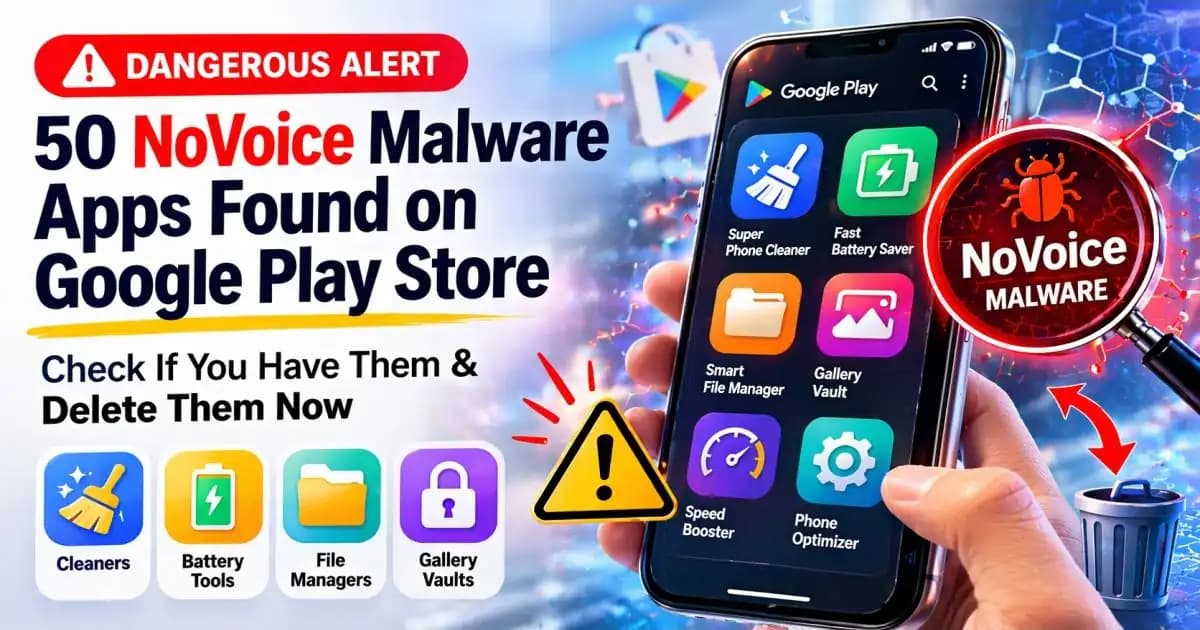
NoVoice isn’t something most people have heard of until they realize it might already be sitting quietly on their phone. It often starts with something simple: downloading a cleaner app, a battery optimizer, or a file manager that promises to make your phone faster. It installs normally, works as expected, and doesn’t raise any obvious suspicion.
That’s what makes stories like this unsettling.
A user installs a storage cleaner after seeing it recommended in the Play Store. The app looks legitimate good ratings, a clean interface, and thousands of downloads. It even does what it claims at first: clearing cache, freeing up space, improving performance. Nothing feels wrong.
But over the next few days, small things begin to change. The phone warms up more often. Notifications behave oddly. Sometimes, apps seem to open slower than usual. It’s subtle enough to ignore.
What the user doesn’t realize is that the app wasn’t just a cleaner. It was part of a larger group one of dozens of apps recently identified by researchers as carrying a strain of malware known as NoVoice.
How something “normal” becomes a doorway
The most difficult part about these cases is that nothing looks broken.
Unlike older forms of malware that crash devices or flood screens with ads, NoVoice is designed to stay out of sight. It behaves like a background observer quietly gathering information about the device.
When security analysts studied these apps, they noticed a pattern. Most of them fell into familiar categories:
- Phone cleaners
- Utility tools
- Battery savers
- File managers
These are apps people download without much hesitation because they solve everyday problems.
That’s the entry point.
Once installed, the app begins to profile the device. It collects details such as:
- Device model
- System version
- Installed apps
- Usage patterns
None of this triggers immediate alarm. Many apps request similar permissions. But in this case, the information is used differently.
When the app stops being just an app
As time passes, the behavior shifts but not in a way that’s obvious.
Instead of acting alone, the malware connects to external servers. It receives instructions. It adapts. In some cases, it attempts to gain deeper access through system permissions or accessibility features.
This is where the situation becomes more serious.
With enough access, malware like NoVoice can:
- Monitor activity on the device
- Interact with other apps
- Potentially control certain functions remotely
From the user’s perspective, everything still feels normal. Messages send. Apps open. The phone works.
But something else is quietly watching and learning.
Why millions of downloads don’t mean safety
One of the most confusing parts for users is the scale.
Reports suggest that apps linked to NoVoice were downloaded over two million times. That number creates a false sense of safety. If so many people installed it, it must be fine right?
Not necessarily.
App stores are constantly reviewing submissions, but malicious apps are becoming better at blending in. Some behave normally at first, only activating harmful features later. Others hide suspicious behavior behind updates.
This delay makes detection harder not just for users, but sometimes even for automated systems.
So the presence of an app in a trusted store doesn’t guarantee that it will remain safe indefinitely.
Why people don’t notice until it’s too late
In many cases, users don’t connect small changes to a bigger problem.
A slightly slower phone. A battery draining faster. A random permission request. Each of these can be explained away individually.
But together, they form a pattern.
The challenge is that modern malware relies on that delay. It doesn’t want immediate attention. It wants time time to gather information, to expand access, and to remain unnoticed.
That’s why people often only realize something is wrong after reading a report or warning about a specific app.
Checking your phone doesn’t require panic
If you’ve ever installed apps like cleaners or optimizers, it’s natural to feel concerned after hearing about cases like this. But awareness is more useful than panic.
A simple check can make a difference.
Look at the apps you’ve installed recently. Especially those that:
- Promise to boost performance dramatically
- Ask for permissions that don’t match their function
- Come from unknown developers
If something feels unnecessary or unfamiliar, removing it is a reasonable step.
Not because every app is dangerous but because unnecessary apps increase your exposure.
The full list of NoVoice apps has not been publicly released, but researchers confirmed they were mostly utility apps like cleaners, battery tools, and file managers.
Common types of apps linked to NoVoice malware
Researchers found that most infected apps looked like:
- “Super Phone Cleaner” type apps
- “Fast Battery Saver” apps
- “Smart File Manager” tools
- “Gallery Vault / Photo Locker” apps
- Simple offline games
What this says about mobile safety today
What makes NoVoice important isn’t just the malware itself it’s the pattern it represents.
Apps are no longer just tools. They are access points.
And attackers are no longer trying to break your phone. They are trying to quietly become part of it.
That shift changes how users need to think about safety.
It’s less about reacting to obvious threats and more about understanding how everyday actions like installing a simple utility app can sometimes carry hidden risks.
A more grounded way to stay safe
You don’t need to stop using apps or avoid new tools altogether.
But a small shift in behavior helps:
- Question apps that promise too much
- Keep your phone updated
- Limit permissions to what’s necessary
- Remove apps you don’t actively use
Security experts often emphasize that most risks don’t come from a single mistake. They come from accumulation small decisions over time.
Reducing those small risks adds up.
FAQs
1. What is NoVoice malware?
NoVoice is a type of mobile malware that hides Inside seemingly normal apps and quietly collects device data while attempting to gain deeper access over time.
2. Are apps on Google Play always safe?
They are generally safer than other sources, but not completely risk-free. Some malicious apps can pass initial checks.
3. What types of apps are commonly affected?
Utility apps like cleaners, battery optimizers, and file managers are often used as carriers.
4. How can I know if an app is suspicious?
Unusual permissions, unknown developers, or behavior that doesn’t match the app’s purpose can be warning signs.
5. Should I delete apps I don’t use?
Yes. Keeping only necessary apps reduces potential risk exposure.





