


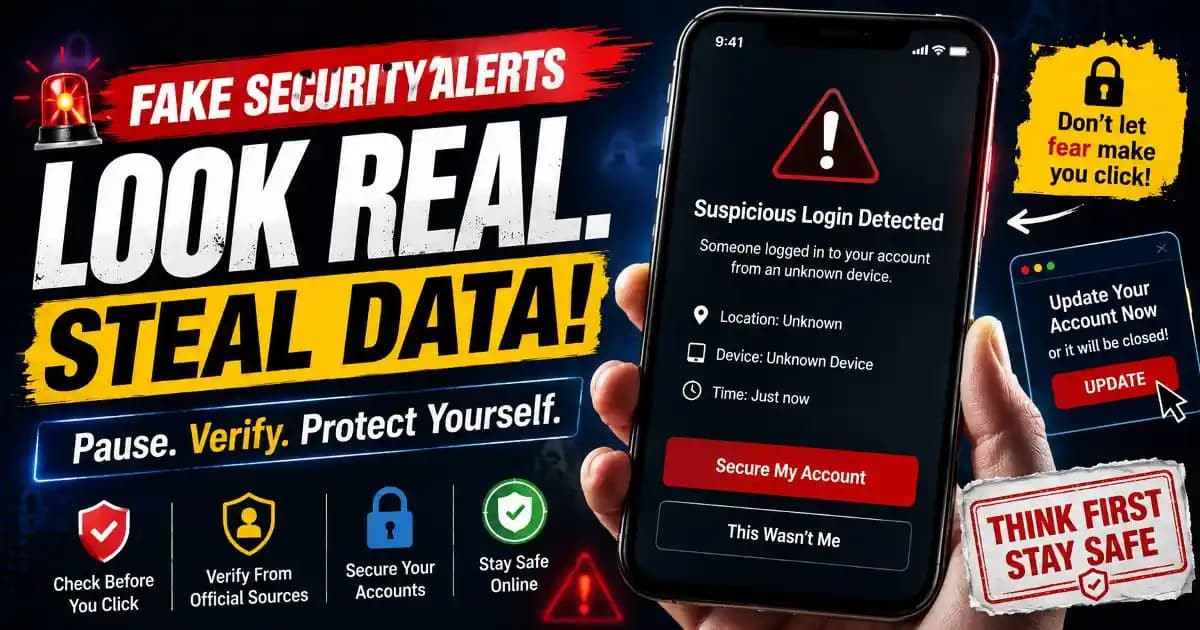
Fake security alerts appear so frequently now that many people can recall the exact feeling instantly. A phone vibrates, a warning flashes across the screen, and suddenly a user believes their email, bank account, or social media profile may already be compromised.
The emotional reaction happens before logic has time to catch up. That is what makes these alerts so effective.
Modern users live inside notification systems. Banking apps send login alerts, messaging platforms issue verification prompts, browsers warn about suspicious websites, and cloud services flag unusual account activity. Because real security systems constantly communicate with users, fake security alerts no longer look unusual. They blend naturally into daily digital behavior.
Scammers understand this shift extremely well. They know users have become trained to respond quickly when an account appears at risk. A frightening message creates urgency, and urgency reduces careful thinking.
That pattern has become one of the defining features of modern social engineering during 2025 and 2026.
The Human Brain Reacts Faster Than Rational Thought
Most fake security alerts are carefully designed around psychology rather than advanced hacking.
Words like “suspicious login,” “account locked,” “payment failed,” or “verification required” immediately trigger concern because they threaten access, identity, or money. The brain interprets those warnings as urgent problems that require immediate action.
Behavior researchers often describe this as a stress response. Users feel pressure to regain control quickly, especially when a message suggests someone else may already have access to personal information.
That urgency changes behavior in subtle ways. People stop examining URLs carefully. They skip reading details. They click first and think later.
This is why phishing protection experts increasingly focus on emotional awareness rather than only technical advice. The scam often succeeds because of human reactions, not because of sophisticated malware.
Why Fake Alerts Look More Realistic Than Before
Earlier internet scams often contained obvious spelling mistakes, strange graphics, or unrealistic threats. Modern fake security alerts are different.
Attackers now copy real login pages, notification layouts, fonts, app icons, browser warnings, and authentication prompts with remarkable accuracy. Some scams even imitate genuine multi-factor authentication systems.
Artificial intelligence tools and automated design systems have also lowered the barrier for creating convincing fraudulent content. Scam campaigns can now generate realistic language, customer support scripts, localized translations, and believable warning messages at scale.
On smartphones, the illusion becomes even stronger. Small screens reduce visual detail, making fake pages harder to distinguish from legitimate ones. Many users interact through notifications alone without carefully checking website addresses.
This combination of design realism and mobile behavior has made fake alerts significantly more persuasive than they were a few years ago.
Fear Is Often More Powerful Than Curiosity
Many digital scams historically relied on curiosity. Users clicked suspicious links because they wanted to see hidden photos, celebrity gossip, or unbelievable offers.
Fake security alerts work differently. They rely on fear.
A person who ignores entertainment bait may still react instantly to a message claiming their account has been accessed from another country. The emotional stakes feel personal and immediate.
That fear becomes especially powerful because accounts now contain deeply connected parts of daily life. Email accounts link to password resets. Messaging apps hold private conversations. Cloud accounts store documents and photos. Banking apps connect directly to financial identity.
For many users, losing account access no longer feels like a technical inconvenience. It feels like losing control over part of their real-world identity.
This is why identity protection concerns now shape how people respond to almost every digital warning they receive.
The Rise of “Legitimate-Looking” Fraud
One reason fake security alerts create confusion is that some scams partially rely on legitimate systems.
For example, attackers may trigger real password reset requests repeatedly. The victim receives genuine emails from an actual platform, then later receives a fake support message pretending to help stop the activity.
Some scams also use sponsored search ads that imitate customer support pages. Users searching for account recovery assistance may unknowingly contact fraudulent phone numbers.
Other campaigns exploit browser notifications. After accepting notification permissions on a questionable website, users begin receiving alarming pop-ups warning about viruses, subscription problems, or compromised accounts.
This overlap between real systems and deceptive manipulation makes verification security much harder for everyday users.
People are no longer simply asking, “Is this message real?” They are asking whether the surrounding context is trustworthy.
Why Mobile Habits Make the Problem Worse
Phones encourage fast reactions.
Users unlock devices dozens or even hundreds of times per day. Notifications compete constantly for attention. Messages are often opened while multitasking, commuting, or half distracted.
Under those conditions, users rely heavily on visual familiarity instead of deep inspection. If a warning resembles something they have seen before, they instinctively trust it.
Scammers design around these habits intentionally. Some fake alerts mimic Android system warnings. Others imitate Apple ID verification requests, banking notifications, package delivery problems, or messaging app security checks.
There has also been growing concern around app permission abuse. Certain malicious applications request notification access or accessibility permissions, allowing them to display deceptive overlays or monitor authentication activity.
Security researchers increasingly recommend reviewing notification permissions carefully and limiting unnecessary app access to sensitive features.
Why Constant Warnings Create User Exhaustion
There is another problem quietly growing beneath all of this: alert fatigue.
Users now receive endless warnings about cookies, passwords, suspicious activity, privacy policies, authentication requests, and data breaches. Over time, people become emotionally numb to security messaging.
Some users start ignoring warnings completely. Others panic at every notification because they no longer know which alerts deserve attention.
This confusion benefits scammers.
When trust breaks down, users struggle to distinguish legitimate account protection from manipulation. Consumer protection organizations increasingly warn that emotional overload itself has become part of the cybersecurity problem.
Improving digital literacy therefore means more than recognizing fake websites. It also means understanding how emotional pressure affects online decisions.
The most effective defense is often slowing down long enough to verify information calmly. Opening the official app directly, checking account activity manually, and avoiding rushed reactions can prevent many account security scams before they escalate.
Fake security alerts succeed because they imitate urgency, authority, and familiarity all at once. Understanding that pattern helps users regain control over how they respond.
Frequently Asked Questions
Why do fake security alerts feel real?
They imitate official apps, trusted brands, and urgent account warnings that users already recognize from legitimate services.
Can fake alerts appear on smartphones?
Yes. Many scams target mobile users through SMS, browser notifications, fake apps, and deceptive pop-ups.
What should I do before clicking a security warning?
Pause and open the official app or website directly instead of using links inside the alert.
Are repeated password reset emails always a sign of hacking?
Not always. Attackers sometimes trigger real reset requests to create panic or confusion.
How can users reduce the risk of phishing scams?
Enable multi-factor authentication, review app permissions, avoid rushed decisions, and verify warnings manually.