



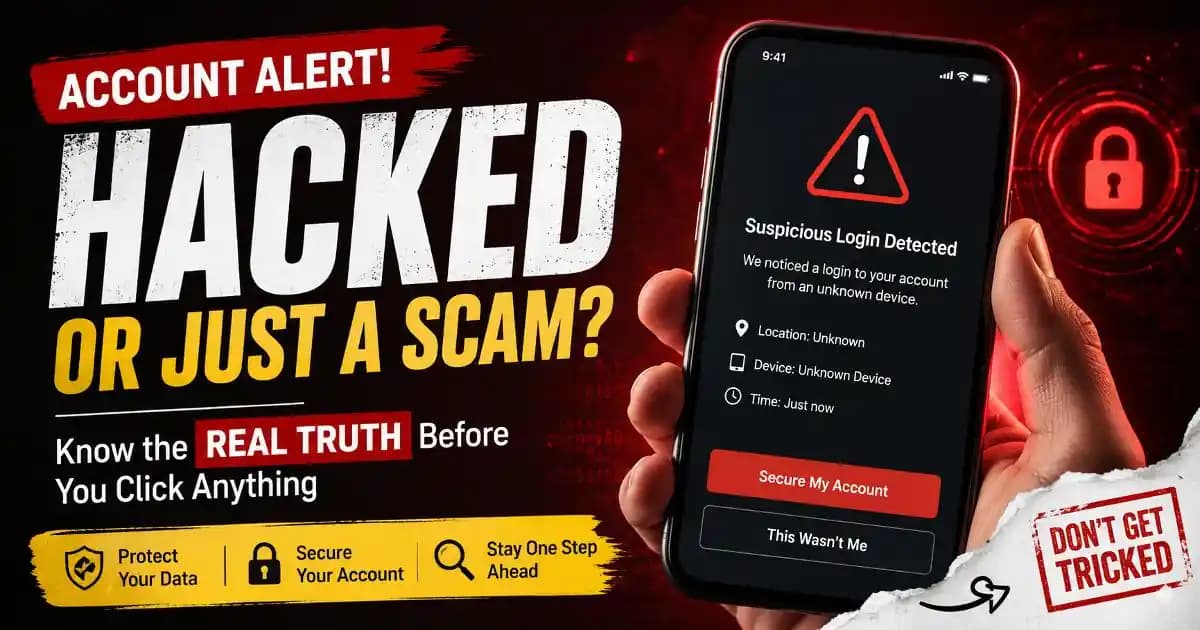
Account hacked alert notifications often appear at the worst possible moment: late at night, during work, or while casually checking a phone. A message suddenly claims someone tried to access an account, a password may have changed, or suspicious activity was detected. Many people immediately assume the worst.
That reaction is exactly why these alerts feel so powerful. They target something personal. Email accounts, messaging apps, social profiles, banking platforms, and cloud storage now contain years of conversations, photos, financial details, and identity information. Even a vague warning can trigger panic before a user has time to think clearly.
In many cases, the alert is legitimate. Modern platforms constantly monitor login attempts, unusual device activity, password reuse, impossible travel patterns, and automated attacks. Companies like Google, Apple, Microsoft, Meta, and major banking providers routinely generate security notifications when systems detect behavior outside normal patterns.
But the emotional reaction created by an account hacked alert has also become one of the most effective tools in modern social engineering. Scammers understand that fear reduces skepticism. A frightened user is more likely to click quickly, share verification codes, enter passwords, or call fake support numbers without verifying anything first.
Why These Alerts Feel So Convincing
Security warnings work because they imitate urgency. Most people have already heard stories about stolen WhatsApp accounts, drained banking apps, hijacked Instagram pages, or locked email accounts. By 2025 and 2026, account recovery scams and verification fraud have become deeply familiar across mobile users worldwide.
Many alerts also resemble real notifications users have seen before. Attackers copy official branding, security wording, login maps, browser styles, and even multi-factor authentication prompts. Some fake alerts arrive through SMS messages pretending to be from banks or technology companies. Others appear through email, messaging apps, browser pop-ups, or sponsored search ads.
The psychological pattern is predictable. Users see the words “suspicious login,” “your account was accessed,” or “password changed,” and immediately focus on regaining control. That emotional state can bypass normal caution.
This is why phishing protection education increasingly focuses on behavior instead of just technology. The scam is often less about hacking systems and more about manipulating human urgency.
Sometimes the Alert Is Real But Misunderstood
Not every frightening notification means an account has actually been compromised.
A person logging in from a new phone, traveling to another city, using a VPN, clearing browser cookies, or reinstalling an app can trigger automated security systems. Some services detect unfamiliar IP addresses or device fingerprints and automatically ask users to verify identity.
Even password managers or browser sync systems can trigger warnings when credentials appear in known data breaches. Security monitoring services now scan leaked databases constantly. If a reused password appears in a breach unrelated to the actual account, users may still receive a security notice.
This creates confusion because the alert feels personal and immediate, even when the risk is precautionary rather than catastrophic.
Modern authentication systems are intentionally aggressive because companies are trying to reduce identity protection risks before damage happens. That means users increasingly receive alerts for potential threats instead of confirmed attacks.
How Scam Campaigns Exploit Security Anxiety
A growing number of scams now imitate verification security systems directly.
One common pattern begins with a fake login warning claiming an account will be suspended unless the user confirms identity immediately. The victim clicks a link leading to a cloned sign-in page. Once credentials are entered, attackers capture the password in real time.
Another pattern involves fake customer support calls. Users receive alarming notifications, then contact a number listed inside the message. The scammer poses as a support agent and asks for verification codes or remote device access.
Some attacks are more subtle. A scammer may send a real password reset request repeatedly so the victim receives legitimate alerts from an actual platform. Then the attacker contacts the user pretending to “help” stop the activity.
These tactics blur the line between legitimate security systems and manipulation. Users are no longer just evaluating whether an alert exists. They must evaluate whether the surrounding instructions are trustworthy.
This overlap is one reason digital literacy has become increasingly important. Recognizing emotional manipulation is now part of online safety, not just technical cybersecurity.
Why Mobile Users Are Especially Vulnerable
Most account alerts are now seen first on smartphones. Small screens, notification previews, quick taps, and constant multitasking change how people react.
On mobile devices, users rarely inspect URLs carefully. They interact through notifications, app banners, and compact browser windows. A fake login page can appear nearly identical to a legitimate one during a rushed moment.
Messaging platforms also create trust shortcuts. Users tend to treat SMS messages and app notifications as more personal and authentic than email. Scammers increasingly exploit this behavior through fake verification messages, SIM-related fraud, and mobile phishing campaigns.
App permission abuse has added another layer of concern during 2025 and 2026. Some malicious apps request notification access or SMS permissions, allowing attackers to monitor security codes or intercept sensitive alerts.
That is why mobile security experts increasingly recommend limiting notification permissions, reviewing installed apps regularly, and enabling stronger authentication methods like passkeys where available.
What Real Security Teams Usually Do
Legitimate platforms generally avoid asking users to reveal passwords, share one-time codes, or install remote access software through unsolicited messages.
Real account recovery systems usually direct users back to the official app or website instead of pressuring immediate action through external links.
Major technology companies also increasingly use contextual verification systems. Instead of simply asking for passwords, they may request biometric confirmation, device approval, security keys, or confirmation through trusted devices.
Still, attackers constantly adapt. Some scams now redirect users to genuine-looking domains with subtle spelling differences. Others abuse advertising systems so fake support pages appear above legitimate search results.
For users, the safest habit is slowing down. Opening the official app directly instead of tapping a link creates a powerful layer of protection against phishing attacks.
The Emotional Cost of Constant Security Warnings
Frequent account alerts also create a different problem: alert fatigue.
People now receive so many warnings about passwords, suspicious activity, data breaches, device logins, cookies, and authentication requests that many stop paying close attention altogether. Some begin ignoring legitimate warnings because they assume every notification is either automated noise or a scam.
This creates dangerous conditions. Real attacks can become harder to recognize when users feel emotionally exhausted by constant security messaging.
Security researchers and consumer protection organizations increasingly discuss this balance openly. Systems must warn users early enough to reduce harm, but excessive warnings can weaken user trust over time.
Understanding how account hacked alert systems work helps reduce panic. Not every warning means disaster. Some represent preventive monitoring, some reflect ordinary login behavior, and some are malicious attempts to exploit fear itself.
The most important difference is rarely the alert alone. It is how the user responds during the first few minutes after seeing it.
Frequently Asked Questions
Can an account hacked alert be fake?
Yes. Many phishing scams imitate real security notifications to steal passwords, verification codes, or personal information.
What should I do first after seeing a suspicious login alert?
Open the official app or website directly instead of clicking links inside the message. Check recent account activity there.
Why did I get a security warning after traveling or changing devices?
Platforms often detect unfamiliar locations, IP addresses, or devices and trigger precautionary verification requests automatically.
Do real companies ask for verification codes by phone?
Legitimate support teams generally do not ask users to share one-time authentication codes during unsolicited calls.
How can I reduce account security risks?
Use strong unique passwords, enable multi-factor authentication, avoid unknown links, and review app permissions regularly.





