



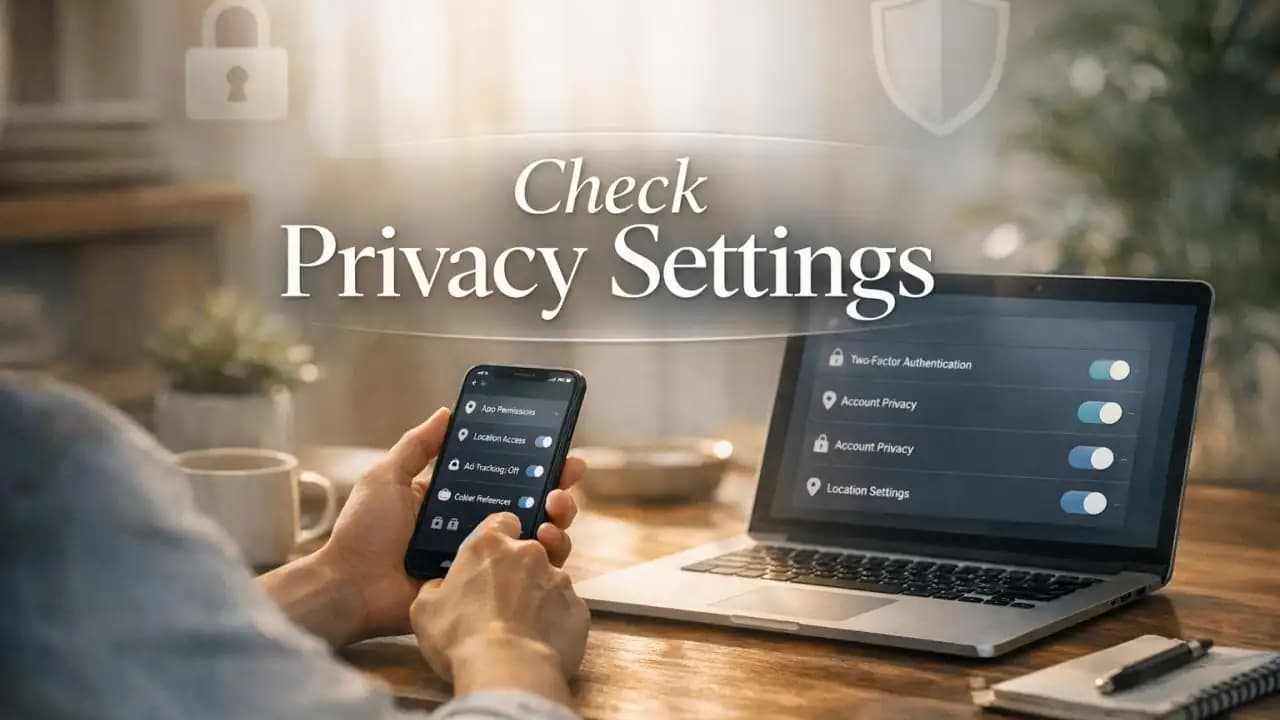
Privacy settings are often the first thing people ignore when opening a new app, setting up a phone, or joining a social platform. A few taps later, location sharing is on, contacts are synced, ad Tracking is enabled, and personal details are visible far more widely than expected. Small changes in settings can protect your data and lower that risk right away.
Most platforms collect more information than users realize. That does not always mean something illegal is happening, but it does mean your habits, interests, movement, and Account details can be used for profiling, targeting, and sometimes fraud if the wrong people gain access. Reviewing your settings is one of the simplest ways to take back control.
What is happening with online privacy right now
Everyday digital services depend on data. Websites use cookies, apps request permissions, social media platforms encourage public sharing, and connected devices often gather usage details in the background. Many of these options are turned on by default because they help platforms personalize content, measure behavior, or increase engagement.
For users, the result is a long trail of personal information spread across Account (1)s, devices, and services. That can include your location history, camera and microphone access, browsing activity, purchase behavior, contacts, and advertising identifiers.
Why privacy matters
Your data shapes how companies and platforms treat you
Privacy (1) is not just about hiding secrets. It affects how much control you have over your identity, what others can learn about you, and how easily your information can be misused. Detailed data profiles can influence the ads you see, the messages you receive, and even how convincing a scam attempt becomes.
Less exposure usually means less risk
The less unnecessary information you share, the less there is to leak, sell, scrape, or exploit. Good privacy settings do not make you invisible online, but they can reduce Tracking and narrow the amount of data available to strangers, advertisers, and criminals.
Key privacy settings to check first
Account privacy
On social platforms, set your profile, posts, friend list, and activity visibility to the most limited audience that still works for you. Review who can message you, tag you, mention you, or find you through your phone number or email address.
App permissions
Check which apps can access your location, camera, microphone, contacts, photos, calendar, and files. If an app does not clearly need a permission, turn it off. For location, choose options like While Using the App instead of Always when possible.
Ad tracking and personalization
Disable personalized ads where available. On phones and major platforms, look for advertising IDs, tracking permissions, off-platform activity, and ad personalization controls. This will not stop all ads, but it can reduce profiling.
Browser and cookie controls
Use stricter cookie settings, block third-party cookies if supported, and clear browsing data regularly. Turn on safe browsing or phishing protection in your browser. Consider using a privacy-focused browser or search engine if it fits your needs.
Location sharing
Review device-level and app-level location access. Check whether your photos store geolocation data and whether social apps attach location tags automatically. Continuous location access can reveal daily routines very quickly.
Two-factor authentication and login alerts
Privacy and security overlap. Turn on two-factor authentication for your main accounts and enable login alerts. If someone gets into your account, private information can become public or be used for impersonation.
Hidden settings many people miss
Contact syncing
Many apps upload your contact list to help you find people. That may seem harmless, but it shares other people's details too. Disable contact syncing if you do not need it.
Activity status and read receipts
Messaging and social apps often show when you are online, active, or have read a message. Turning these off can reduce pressure and limit what others learn about your habits.
Face recognition and biometric features
Some services use face recognition to tag photos or organize content. Review these options carefully. Convenience can come with extra data processing.
Data sharing with partners
Look for settings related to marketing partners, business integrations, analytics sharing, and personalized experiences across services. These are often buried in privacy menus or account centers.
Search engine indexing
Some profiles can appear in public search results. If you do not want your account easily found through search engines, switch that option off where available.
Risks of weak privacy settings
Poor privacy controls can lead to more than annoying ads. Overshared data can make phishing attempts more believable, expose your routines, reveal family connections, and increase the chance of identity theft or account takeover.
There is also a long-term risk. Information shared casually today can remain searchable, copied, or archived later. A public post, location trail, or old profile detail can be used out of context years after it was uploaded.
Recent trends in privacy settings from 2024 to 2026
More users are being asked to make privacy choices
Platforms have continued adding privacy dashboards, permission prompts, and ad controls. That is helpful, but the menus are often complex, and users still need to review them manually.
Mobile tracking controls are becoming more visible
Phone operating systems now make app permission requests and tracking choices easier to spot. Even so, many users accept defaults quickly and never return to review them.
AI features are changing data expectations
New AI tools inside apps, search services, and devices are increasing questions about how user data is stored, analyzed, and used for personalization. Privacy settings are becoming more important because data can now feed smarter profiling systems.
Cross-platform account centers are growing
Large companies increasingly manage multiple apps under one privacy center. That makes reviews easier in theory, but it also means one account can control a much wider pool of data.
Practical awareness: how to make better privacy choices
Start with the accounts you use every day: email, messaging apps, social media, cloud storage, shopping apps, and your main browser. Check privacy settings once, then set a reminder to review them every few months.
Be especially careful with apps aimed at convenience. Flashlight apps do not need contacts. Photo editing apps do not always need your microphone. Fitness apps may not need continuous location access unless you actively use route tracking.
It also helps to separate what is public, what is private, and what is unnecessary. If a setting improves convenience but exposes more data than you are comfortable with, choose the safer option.
A simple privacy settings checklist
- Set social profiles and posts to limited visibility
- Turn off unnecessary app permissions
- Disable ad personalization where possible
- Review location access and photo geotagging
- Turn off contact syncing if not needed
- Check activity status, read receipts, and discoverability settings
- Limit data sharing with partners and third parties
- Enable two-factor authentication and login alerts
- Clear old apps you no longer use
- Review privacy settings every few months
FAQs
Which privacy settings matter most?
The most important ones are app permissions, account visibility, ad tracking, location access, and two-factor authentication. These affect how much data is collected and how exposed your accounts are.
Do privacy settings stop all tracking?
No. They reduce tracking and data sharing, but they do not eliminate it completely. Browsing habits, network data, and platform activity can still be collected in some cases.
How often should I review privacy settings?
At least every three to six months, and any time an app, phone, or platform updates its privacy policy or adds new features.
Are hidden settings really important?
Yes. Features like contact syncing, search visibility, and partner data sharing are easy to miss but can expose more information than users expect.
Can strong privacy settings make accounts safer too?
Yes. Privacy and security work together. Limiting exposure, reducing unnecessary data access, and enabling login protections all lower the chances of misuse.





