



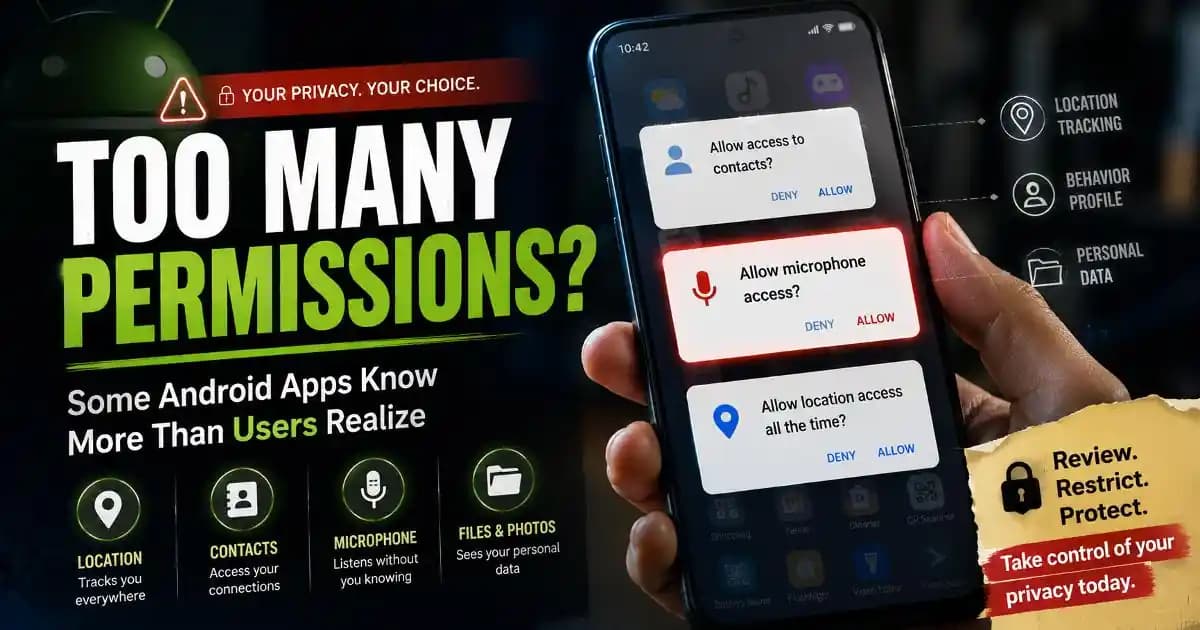
Android app permissions often appear during rushed moments when people simply want an app to work quickly. A flashlight app asks for contacts access. A wallpaper app requests microphone permission. A simple game suddenly wants location tracking running in the background. Most users tap “Allow” almost automatically because denying permissions can interrupt the experience or make the app feel unusable.
That habit has become one of the biggest privacy concerns surrounding smartphones in 2025 and 2026.
Many Android users are beginning to notice that some apps request far more access than their actual purpose seems to require. The concern is not only about hacking or malware anymore. It is also about how apps collect behavioral data, track habits, build advertising profiles, and sometimes gather sensitive information quietly over long periods.
For most people, permissions feel technical and confusing. But they shape how much of a user’s digital life becomes visible to apps running on the device.
Why Android apps request so many permissions
Permissions exist for legitimate reasons. Navigation apps need location access. Camera apps require camera permissions. Messaging apps may need contacts and notifications to function properly.
The problem starts when permissions no longer match the app’s real function.
Some developers request broad access because collected data has commercial value. Information about location, app usage, browsing habits, device identifiers, and behavior patterns can help build detailed advertising profiles.
Other apps request excessive permissions simply because developers reuse software frameworks or advertising tools that automatically ask for additional access.
In some cases, the app itself may not even need the permission directly, but integrated analytics systems or third-party advertising networks do.
This has made data privacy discussions more important as smartphones increasingly become extensions of daily life.
Permissions users often overlook
Many Android users pay attention only to camera or microphone requests because those permissions feel obviously sensitive. But several other permissions can reveal surprisingly detailed information.
Location access can expose movement patterns, routines, workplaces, shopping behavior, and travel habits.
Contacts permissions may reveal social relationships and communication networks.
Storage permissions can provide access to photos, downloaded files, and documents.
Notification access can sometimes expose authentication codes, private messages, and account activity.
Accessibility permissions deserve particular attention because they can grant powerful control over device interactions. While accessibility tools help users with disabilities, malicious or overly aggressive apps may misuse them for monitoring or automation.
Security researchers increasingly warn that combinations of permissions matter more than individual permissions alone.
This broader pattern is becoming part of modern mobile security awareness.
Why users grant permissions so quickly
Most permission decisions happen under pressure or distraction. A person downloads an app while commuting, waiting in line, or multitasking during work. The goal is convenience, not careful security analysis.
Apps are also designed to encourage fast approval. Some permission prompts appear immediately after installation before users understand how the app works. Others repeatedly request access until users eventually accept just to remove interruptions.
Many people also assume that apps listed in official app stores have already been fully verified for safety.
While Google Play and Android security systems have improved significantly, official marketplaces still occasionally contain apps with aggressive tracking behavior, misleading permissions, or hidden data collection practices.
This is why digital literacy increasingly includes understanding how app ecosystems operate rather than simply avoiding obvious scams.
How permissions connect to advertising and tracking
Modern mobile apps are often tied to large advertising ecosystems that depend heavily on behavioral information.
Even when apps appear free, many generate revenue through targeted advertising, analytics, or data-sharing partnerships.
This creates incentives to collect as much information as possible about users.
For example, repeated location tracking can help advertisers estimate shopping interests, commuting routines, and lifestyle habits. App usage data can reveal sleep schedules, entertainment preferences, and social activity.
Some permissions also support cross-device tracking systems that follow user behavior across apps and websites.
As privacy frameworks evolve globally, Android itself has gradually introduced stronger controls over background tracking and permission visibility. But users still remain the final decision-makers when permission requests appear.
This balance between convenience and privacy has become central to modern consumer awareness.
When permissions become dangerous
Not every excessive permission request leads to abuse. However, broad permissions increase potential risk if an app behaves irresponsibly, becomes compromised, or is sold to another company later.
Some malicious apps specifically disguise themselves as harmless tools while requesting powerful access rights. Fake cleaners, QR scanners, battery optimizers, and utility apps have repeatedly appeared in security investigations during recent years.
In certain cases, attackers use permissions to:
- Read SMS verification codes
- Monitor screen activity
- Capture login credentials
- Track locations continuously
- Access personal media files
- Overlay fake login pages
These risks explain why account protection is increasingly connected to permission management, not just passwords.
Even legitimate apps can create privacy concerns if they collect more information than users reasonably expect.
Why Android permission controls improved recently
Google and Android device manufacturers have introduced stronger privacy controls during recent Android versions.
Users can now grant one-time permissions, restrict background access, review recent permission activity, and receive alerts when apps access sensitive features unexpectedly.
Android also automatically resets permissions for unused apps in many cases.
These changes reflect growing recognition that permission systems influence long-term privacy behavior.
Still, many users never revisit permission settings after initial installation. Once access is granted, apps may retain that access indefinitely unless settings are reviewed manually.
This ongoing gap between available controls and actual user behavior remains one of the largest challenges in online safety education.
How users can evaluate permissions more realistically
The most useful habit is asking whether the permission genuinely matches the app’s purpose.
A navigation app requesting location makes sense. A calculator requesting microphone access deserves more scrutiny.
Users should also pay attention to timing. If an app requests sensitive access before any related feature is used, that can be a warning sign.
Reading reviews carefully sometimes reveals patterns other users already noticed regarding excessive permissions or unusual behavior.
It also helps to install fewer apps overall. Many users accumulate dozens of rarely used apps over time, each holding varying levels of access to personal information.
Regularly reviewing permission settings can strengthen identity protection without significantly affecting everyday phone use.
Why permission awareness matters more now
Smartphones increasingly store financial details, health information, personal conversations, work documents, and identity verification tools. Permissions determine which apps can interact with those sensitive parts of digital life.
At the same time, artificial intelligence systems, recommendation engines, and targeted advertising networks rely heavily on behavioral data collected through apps.
This means permission awareness is no longer only about cybersecurity. It is also about understanding how digital profiles are built quietly over time.
The challenge for users is not rejecting every permission automatically. Many permissions are necessary and useful. The goal is developing enough awareness to recognize when access requests no longer align with reasonable expectations.
That shift from automatic approval to informed decision-making is becoming an important part of modern privacy awareness and long-term digital literacy.
Frequently Asked Questions
Why do some Android apps request permissions they do not seem to need?
Some apps collect additional data for advertising, analytics, or integrated third-party services.
Can official Play Store apps still misuse permissions?
Yes. While protections improved, some apps may still request excessive or unnecessary access.
Which Android permissions deserve the most attention?
Location, accessibility, microphone, SMS, contacts, and notification access often deserve careful review.
Is it safe to deny app permissions?
Usually yes. Some features may stop working, but many apps function normally with limited access.
How can I review Android permissions later?
You can check permission settings inside Android privacy or app management menus anytime.