



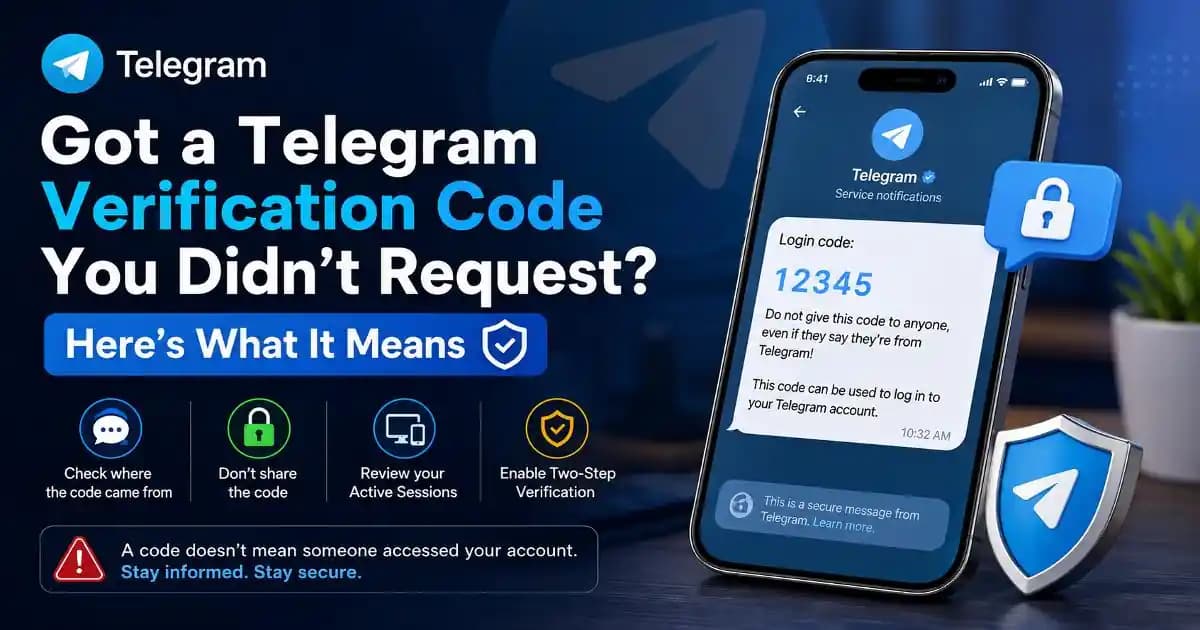
telegram verification code not requested can be unsettling, especially when the notification appears while you are simply checking messages on your phone. You may immediately wonder whether someone is trying to break into your Telegram account, whether your phone number has been exposed, or whether you accidentally triggered something.
The good news is that an unexpected code does not automatically mean someone has accessed your account. Telegram uses verification codes for more than one purpose, and the exact place where the code appears matters. Telegram says codes for third-party services can arrive in its verified “Verification Codes” chat, while login codes for your Telegram account itself appear in the verified Telegram service chat. Telegram also notes that someone may simply have entered your phone number by mistake when attempting to sign in to another service. ([Telegram][1])
That distinction is useful because a code being generated and an account actually being accessed are not the same event.
What does a telegram verification code not requested actually mean?
There are several ordinary explanations. Someone may have entered your phone number while trying to sign in to a website, app, marketplace, or another service that uses Telegram for verification. A person could also have typed the wrong number, particularly if the numbers are similar or were copied incorrectly.
There is also a more concerning possibility: someone may be attempting to start a Telegram login using your phone number. Telegram's authentication system is designed to send a verification code as part of the login process, so receiving an unexpected code can mean that an authentication attempt was initiated. ([Telegram][2])
But the code itself is not proof that the person succeeded. Telegram's own interface distinguishes between incomplete login attempts and active sessions. Its documentation describes incomplete attempts where the code was entered correctly but the required password was not provided, meaning the device does not have access to the account. ([Telegram Localization][3])
The first thing to check is where the code came from
Before assuming the worst, look at the conversation that delivered the message.
If it is the verified Verification Codes chat, Telegram says the code may belong to a third-party service rather than your Telegram account. This could happen because you requested a login elsewhere or because another person accidentally entered your phone number. Telegram specifically says that if you did not request the third-party code, you can report it and do not need to take additional action solely because that code appeared. ([Telegram][1])
If the message is from the verified Telegram service chat and refers to logging into Telegram itself, treat it more seriously. Telegram says its own login codes should never be shared with anyone, including other services or apps. ([Telegram][1])
This is one reason scammers sometimes create urgency around verification codes. They do not necessarily need to steal the code themselves; they may try to persuade you to read it aloud, forward it, or enter it into a fake page.
A code is different from a successful login
This is the part that causes the most confusion. Seeing a verification code does not mean that another person is already reading your chats.
A login normally involves several stages. Someone begins an authentication request using a phone number. Telegram sends a code through an available verification channel. The person attempting the login must then complete the authentication process. If two-step verification is enabled, Telegram requires an additional password after the login code. ([Telegram][1])
That additional layer matters. Telegram recommends Two-Step Verification for users who want protection beyond the phone number and login code. When enabled, both the verification code and the additional password are required for a login. ([Telegram][1])
So an unexpected code can be a warning that someone tried to begin the process without being evidence that they completed it.
Check Active Sessions if the message feels suspicious
If you are concerned that someone may actually have entered your account, Telegram's Active Sessions area is more useful than repeatedly staring at the verification message.
Open Telegram and go to Settings > Privacy and Security > Active Sessions. Depending on the version of Telegram you use, the area may also appear under Settings > Devices. Telegram uses this section to show connected sessions, and its official guidance says an unfamiliar session can be terminated there. ([Telegram][1])
Look for devices, locations, or sessions that you do not recognize. Do not rely only on the city shown in the location field, because network-based locations can sometimes be imprecise. Instead, consider the whole picture: device type, activity time, and whether you recently logged in somewhere new.
If you find a session that clearly is not yours, terminate it. Telegram also provides an option to terminate other sessions while keeping the current device connected. ([Telegram Localization][3])
What if Active Sessions shows nothing unusual?
That is generally reassuring. It means an unexpected code should not automatically be interpreted as an account takeover.
You could still be looking at an unsuccessful login attempt, an accidental phone-number entry, or a third-party verification request. Telegram's own Active Sessions interface separates active sessions from incomplete login attempts, reinforcing the difference between someone starting the authentication process and someone gaining access. ([Telegram Localization][3])
Still, repeated unexpected codes deserve attention. A single accidental attempt is very different from a pattern of repeated authentication messages, particularly if you also receive a new-login notification or notice unfamiliar activity.
Never give the verification code to someone who asks
This is where a relatively harmless notification can turn into a genuine scam.
If someone messages you saying they accidentally requested your Telegram code and asks you to send it back, do not cooperate. The code exists to prove control during authentication. Handing it to another person can effectively remove the security barrier that the code is supposed to provide.
Telegram itself warns users never to share their login codes. Its interface also warns that giving a login code to someone else can result in losing the Telegram account. ([Telegram][1])
The same principle applies if someone claims to be from Telegram support, a friend, a marketplace, a bank, or another company. A legitimate request should not require you to disclose a private Telegram login code to another person.
Why Two-Step Verification changes the situation
Two-Step Verification gives your Telegram account another layer of protection if someone knows or obtains your phone number. Telegram explains that once this feature is enabled, logging in requires both the verification code and an additional password. ([Telegram][1])
You can enable it through Settings > Privacy and Security > Two-Step Verification. Telegram also supports a recovery email for users who configure one, and it recommends protecting that email account as well. ([Telegram][1])
Telegram also supports passkeys, which can allow authentication without relying on an SMS code, using device-based authentication such as a PIN, fingerprint, or face scan. ([Telegram][1])
When an unexpected Telegram code deserves immediate attention
The strongest warning signs are not simply that a code appeared. Pay closer attention when several signals happen together: you receive repeated codes you did not request, you see a Telegram new-login notification, an unfamiliar session appears in Active Sessions, messages are sent from your account without you sending them, or someone contacts you asking for the code.
Telegram's new-login notification is specifically designed to tell users when a login has been detected from a new device and directs users to Active Sessions if the login was not theirs. ([Telegram Localization][4])
That is a much stronger signal than an isolated verification message.
The safest response is usually simple
If you receive a single unexpected code and did nothing to trigger it, do not share the code. Check where it came from, and if you are concerned, review Active Sessions. If everything looks normal, there may be nothing more to do.
If you discover an unfamiliar active session, terminate it and enable Two-Step Verification. If you suspect someone has gained control of your phone number or SIM, Telegram advises contacting your mobile provider to block the old SIM and issue a replacement. ([Telegram][1])
The larger lesson is easy to miss: security notifications are signals, not verdicts. A code can tell you that an authentication process was initiated. Your account's active sessions, login alerts, and security settings tell you much more about whether access actually occurred.
That distinction helps you respond calmly instead of reacting to the notification itself. And when a stranger asks for the code, the answer should always be the same: never share it.
[1]: https://www.telegram.org/faq?setln=en "Telegram FAQ"
[2]: https://core.telegram.org/method/auth.sendcode "auth.sendCode"
[3]: https://translations.telegram.org/screenshots/6420/phrase/PrivacySettings.ActiveSessions "Translations"
[4]: https://translations.telegram.org/en/tdesktop/general/lng_new_authorization "Translations"
[5]: https://core.telegram.org/api/auth "User Authorization"