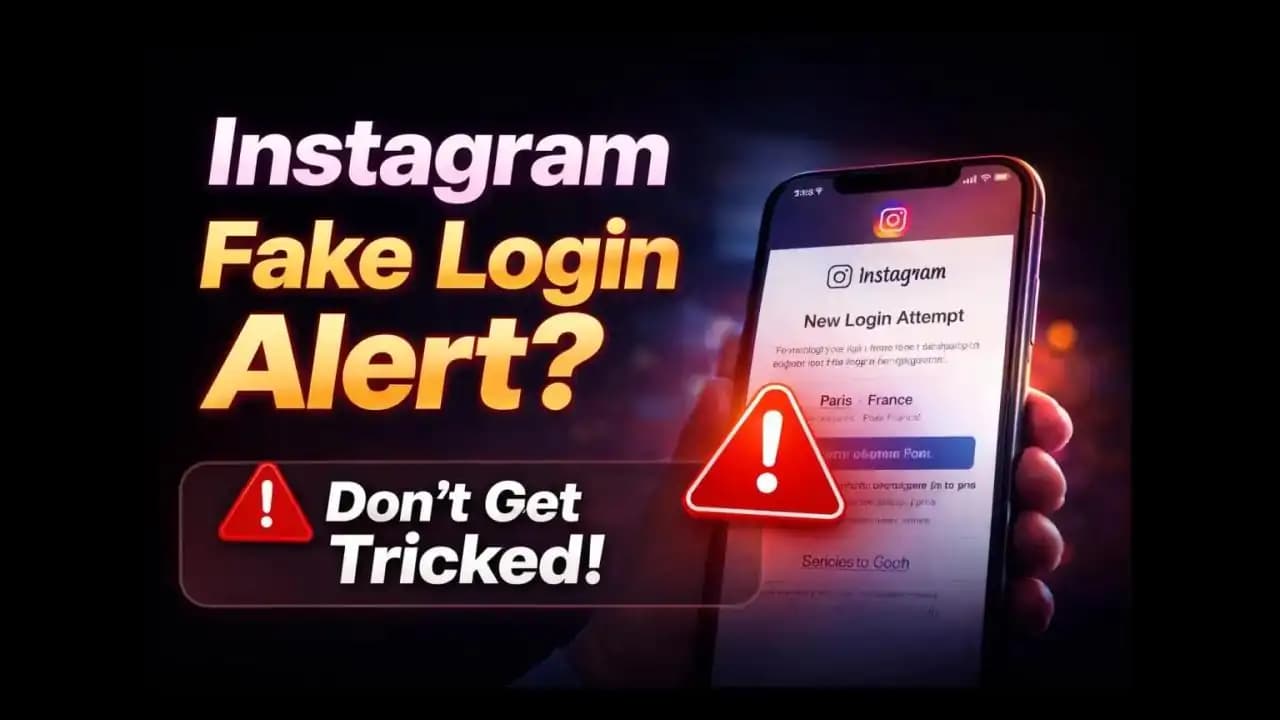
An Instagram fake login alert appears when your Account is accessed from a new device, location, or unusual activity. These alerts may come as push notifications or emails and are part of Instagram’s built-in security system.
If you see a message like “Recognize this login?”, it means Instagram detected a login attempt. This does not always mean your Account (1) is hacked, but you should verify the activity immediately inside the official app.
In many cases, Instagram login Alerts are triggered by normal events such as:
- signing in from a new phone,
- switching networks,
- using a VPN,
- traveling,
- or clearing browser data.
However, fake Instagram Security alerts and phishing emails have also become increasingly common, making verification important before reacting to any warning message.
Instagram Login Alerts May Appear as Push Notifications or Emails
Instagram login alerts may appear as push notifications, in-app Security (1) notifications, or emails when the platform detects activity from a new device, browser, location, or network.
In many cases, these alerts are legitimate security protections designed to help users verify Account again activity. However, scammers also imitate Instagram security messages through phishing emails, fake login pages, and urgent warnings designed to steal passwords.
If you receive a login alert:
- Open the Instagram app directly
- Review login activity inside account settings
- Avoid clicking links in suspicious messages
- Verify whether the alert appears in Instagram’s official Security again section
A login alert does not automatically mean your more on account was hacked, but it should always be reviewed carefully.
Instagram login alerts may appear as push notifications what it means
Instagram sends login alerts as push notifications or emails when it detects a login from a new device, browser, or location. This is a normal more on security feature designed to protect your account.
For example, if you log in from a different city, use a new phone, or clear your browser data, Instagram may trigger a login alert. These alerts help you confirm whether the Activity was yours.
“Recognize this login?” Instagram email explained
The “Recognize this login?” message is a common Instagram Security → notification. It appears when the platform detects a login attempt that seems unusual based on your previous activity.
If the login was made by you, you can Safely confirm it. If not, you should secure your account immediately by changing your password and reviewing login activity.
Why Instagram Says “Recognize This Login?”
Instagram displays “Recognize this login?” when its systems detect activity that differs from your normal behavior patterns.
This can happen because of:
- Logging in from another city or country
- Using a VPN or mobile network
- Signing in on a new phone or browser
- Clearing cookies or browser data
- Device fingerprint changes
In many situations, the alert is completely normal. Instagram’s Security (5) systems are designed to detect unusual activity patterns and ask users to confirm whether the login was legitimate.
Instagram login alert meaning: is it a hack or normal?
In most cases, Instagram login Alerts (1) are completely normal and are triggered by routine activity changes such as:
- Logging in from a new device
- Traveling to a different location
- Using a VPN or different network
- Clearing cookies or browser data
However, if you don’t recognize the login attempt, it could be a sign of unauthorized access and should be taken seriously.
Why Did I Get an Instagram Login Alert Without Logging In?
Sometimes Instagram sends login alerts even when users were not actively trying to sign in.
This can happen because:
- someone attempted to access the account,
- an old session refreshed automatically,
- Instagram detected unusual authentication activity,
- or the platform triggered a precautionary verification check.
Receiving the notification does not automatically mean your account was hacked.
The safest response is to:
- open Instagram directly,
- review login activity,
- check connected devices,
- and secure the account if anything appears unfamiliar.
Real vs Fake Instagram Login Alerts
| Real Instagram Login Alerts | Fake Instagram Login Alerts |
|---|---|
| Usually appear inside the official Instagram app | Often arrive through suspicious emails or messages |
| Direct users to review activity in app settings | Push users toward external login pages |
| Do not use extreme threats or countdowns | Use urgent warnings like “Account suspended” |
| Come from official Instagram communication channels | May use misspelled or fake domains |
| Ask users to verify activity safely | Attempt to steal passwords or verification codes |
Signs an Instagram Login Alert Might Be Fake
Common warning signs include:
- Urgent language demanding immediate action
- Suspicious sender addresses
- Links that do not lead to Instagram’s official domain
- Requests to enter passwords outside the app
- Poor spelling or unusual formatting
If a message pressures you emotionally or asks for sensitive details through external websites, it should be treated carefully.
What to do if you receive an Instagram login alert
If you receive a login alert, follow these steps:
- Open the Instagram app directly (avoid clicking links in messages)
- Check login activity in your account settings
- Change your password immediately if anything looks suspicious
- Enable two-factor authentication for extra security
- Log out of unknown devices
What To Do If You Clicked a Fake Instagram Login Link
If you clicked a suspicious Instagram login link or entered your credentials on an unfamiliar page, taking immediate action can reduce the risk of account compromise.
Follow these steps:
1. Change your Instagram password immediately using the official app
2. Review recent login activity and remove unknown devices
3. Enable two-factor authentication for additional protection
4. Check whether your recovery email or phone number was changed
5. Remove suspicious third-party apps connected to your Account
6. Review email forwarding rules and linked accounts
7. Scan your device for malware or malicious browser extensions
Acting quickly can help prevent attackers from maintaining access to your account.
Real vs fake Instagram login alerts
Understanding the difference between real and fake alerts is important:
- Real alerts usually come from Instagram directly and do not pressure you to act immediately
- Fake alerts often include urgent warnings or threats like account suspension
- Real alerts guide you to check activity inside the app
- Fake alerts ask you to click external links and enter your login details
If a message creates urgency or asks for your credentials outside the app, it is likely a phishing attempt.
Instagram fake login alert messages can look unsettling at first glance a sudden warning that someone tried to access your account from another location, another device, another country. In a time when most of us live partly online, even a hint of intrusion feels personal. But not every alert is what it seems. Some are real security notifications. Others are cleverly designed imitations meant to trigger panic, clicks, and mistakes.
Over the past few years, especially as social platforms have tightened Security again, scammers have shifted tactics. Instead of trying to brute-force passwords, they now aim to trick users into handing over access themselves. And few tactics work as well as impersonating a login warning.
Understanding how these fake alerts work and why they’re effective is part of becoming digitally literate in 2025.
Why Login Alerts Feel So Urgent
A login notification taps into something instinctive: the fear of losing control.
Instagram Account →s today are more than photo albums. They hold years of memories, personal Messages, business contacts, brand partnerships, and in many cases, income. For creators, entrepreneurs, and even everyday users, the account is an identity layer.
So when a message appears claiming someone attempted to log in from “another Device,” it doesn’t feel minor. It feels threatening.
Scammers understand this emotional reaction. They design fake alerts to bypass rational thinking and provoke immediate action. Urgency reduces scrutiny. When someone feels anxious, they’re less likely to double-check links or question the source.
This psychological trigger is the engine behind most impersonation-based digital scams.
How Fake Instagram Alerts Usually Appear
The most common formats are surprisingly simple:
- Emails that look like official Instagram security messages
- Direct messages warning of suspicious activity
- SMS texts claiming account compromise
- Fake in-app popups on cloned login pages
Many of these messages include familiar language: “We detected a login attempt,” “If this wasn’t you, secure your Account (5) now,” or “Click below to prevent suspension.”
The details often feel specific a device type, a city name, a time stamp. But those specifics are often fabricated or pulled from publicly available information.
What makes these messages convincing is visual mimicry. Logos, color schemes, and button styles are often copied with remarkable accuracy. On a small mobile screen, differences can be hard to spot.
In recent months, phishing templates circulating online have become even more polished. As platforms invest in stronger authentication tools, scammers invest in better design.
The Thin Line Between Real and Fake
Instagram does send genuine login alerts. That’s what makes the scam effective.
A real security notification may appear if:
- You log in from a new device
- You travel to a different location
- You clear browser data and sign in again
- Instagram detects unusual activity patterns
The key difference isn’t always the wording it’s the context and the delivery channel.
Authentic alerts typically direct you to check activity within the app itself rather than asking you to click unfamiliar external links. They also avoid threatening language like “Your account will be permanently deleted in 24 hours.”
Fake alerts, on the other hand, often escalate quickly. They introduce countdowns, warnings of suspension, or pressure to act immediately.
Subtle emotional manipulation is usually the giveaway.
Why These Scams Are Increasing
Social media platforms are now primary communication hubs. For many people, they’re more frequently accessed than email. That makes them attractive targets.
In recent years, two trends have fueled the rise of fake login alerts:
1. Account Monetization
Instagram accounts now generate revenue directly through brand deals, subscriptions, affiliate marketing, and shop integrations. Compromising an account can mean immediate financial gain for attackers.
2. Data as Currency
Even non-monetized accounts contain valuable information contacts, behavioral patterns, personal content. Data harvesting remains profitable.
As digital identities grow more valuable, impersonation attempts increase. The tactic isn’t new, but its scale has expanded.
How Instagram Detects Suspicious Login Activity
Instagram uses automated security systems to identify unusual login behavior and protect accounts from unauthorized access.
Some signals Instagram may monitor include:
- New devices or browsers
- IP address changes
- Unusual login locations
- Rapid device switching
- Suspicious activity patterns
- Repeated failed login attempts
For example, using a VPN, traveling internationally, or signing in after clearing browser cookies may trigger a login notification even when the activity is legitimate.
These systems are designed to reduce unauthorized access, but they can occasionally generate alerts during normal account activity as well.
The Emotional Layer of Digital Security
One reason Instagram fake login alert scams succeed is that digital security still feels abstract to many users.
People may know, in theory, that phishing exists. But when confronted with a message tied to their own account, theory turns personal.
There’s also a subtle guilt response: “Did I click something strange?” “Did I reuse a password?” That self-doubt can push someone to react quickly rather than think critically.
Digital literacy isn’t just about knowing what two-factor authentication means. It’s about recognizing emotional manipulation when it happens.
Pause is powerful.
Why Fake Security Alerts Work Psychologically
Fake login alerts are effective because they exploit emotional reactions rather than technical weaknesses.
Common manipulation tactics include:
- Fear of losing account access
- Urgency and countdown pressure
- Authority impersonation using trusted branding
- Panic-driven decision making
When people feel anxious about their accounts, they are more likely to click quickly without verifying the source carefully.
Patterns to Watch Without Overthinking
Being aware doesn’t mean becoming paranoid. It means noticing patterns.
Fake alerts often include:
- Slightly altered sender addresses
- Generic greetings like “Dear User”
- Minor spelling inconsistencies
- Links that redirect through unfamiliar domains
- Requests to re-enter credentials outside the official app
More subtle versions may look nearly flawless. In those cases, checking account activity directly inside the official Instagram app rather than through a message link often clarifies things.
The goal isn’t to scrutinize every notification obsessively. It’s to build a mental habit of Verifying before reacting.
Where To See Official Instagram Security Emails
Instagram provides an official section inside the app where users can review legitimate security emails sent by the platform.
To check:
- Open Instagram
- Go to Settings
- Tap Security
- Open “Emails from Instagram”
This section helps users confirm whether a login alert or security message was genuinely sent by Instagram.
If a suspicious email does not appear there, it may be part of a phishing attempt.
Why This Matters Beyond One App
An Instagram fake login alert is rarely just about Instagram.
The same tactics appear across platforms banking apps, streaming services, email providers. Once someone becomes accustomed to responding automatically to security warnings, the vulnerability extends everywhere.
Digital behavior is interconnected. A password reused across accounts multiplies risk. A single compromised account can be leveraged to target friends or followers.
Social platforms are social for a reason. When one account falls, others are often targeted next.
That’s why awareness is less about fear and more about responsibility to oneself and to one’s network.
The Subtle Signs of Phishing Fatigue
Interestingly, as scams become more common, some users swing in the opposite direction: they ignore legitimate alerts.
Phishing fatigue is a growing concern. When people receive frequent fake messages, they may begin dismissing real ones.
The balance is delicate. Healthy skepticism is useful. Complete disengagement is not.
Digital literacy in 2025 means navigating that balance neither panicking nor ignoring.
Where Platform Security Is Headed
Social media companies have responded with layered security features:
- Two-factor authentication
- Login activity dashboards
- Device recognition tools
- Security checkup prompts
Biometric login, passkeys, and passwordless authentication methods are becoming more mainstream. These tools reduce reliance on traditional passwords, which are easier to compromise.
Yet technology alone isn’t enough. Human behavior remains the decisive factor.
Scammers don’t always hack systems. They persuade people.
As authentication methods evolve, scam messages evolve too. It’s a continual adaptation cycle.
Protecting Attention, Not Just Accounts
There’s another dimension often overlooked: mental bandwidth.
Repeated exposure to suspicious alerts can create low-level anxiety. Even if no breach occurs, the repeated threat of compromise can erode trust in digital spaces.
Learning to distinguish real from fake reduces not just security risk but cognitive strain.
When users feel confident in recognizing manipulation tactics, their online experience becomes calmer.
And that calmness matters.
Building a Habit of Verification
The simplest safeguard is often the most effective: go directly to the source.
Instead of reacting to a message, open the official app. Check login activity inside the account settings. Review recent sessions.
This small behavioral shift navigating independently rather than through a link dramatically reduces exposure to phishing attempts.
It’s not complicated. But it requires awareness.
Digital literacy is rarely about technical expertise. It’s about everyday habits.
A Future of Smarter Impersonation
Looking ahead, impersonation tactics will likely grow more sophisticated. AI-generated emails, cloned voices, and hyper-personalized messages are already appearing in other sectors.
An Instagram fake login alert in the near future might reference real data scraped from breaches elsewhere. It might sound more conversational. More tailored.
That doesn’t mean defeat is inevitable.
It means discernment becomes a long-term skill, not a one-time lesson.
The stronger that habit becomes now, the easier it will be to navigate whatever comes next.
Living With Digital Awareness, Not Fear
The modern online world demands vigilance, but not anxiety.
An occasional login alert real or fake is part of participating in digital spaces. The key is understanding the environment rather than reacting emotionally to it.
Confidence grows from familiarity. When users understand how impersonation works, the power of the scam diminishes.
And in a landscape where social platforms play a central role in identity, work, and connection, that understanding is quietly empowering.
FAQs
Why Did Instagram Say Someone Logged Into My iPhone?
Instagram may send login notifications when the app is accessed on a new device, after a backup is restored, when the app session is updated, or when the network connection changes.
Why Does Instagram Keep Sending Login Alerts?
Repeated login alerts may occur because of VPN usage, unstable IP changes, browser cookie resets, multiple device switching, or repeated login attempts.
Can Instagram Login Alerts Be Wrong?
Yes. Location data and device detection are not always perfectly accurate. VPN routing, mobile carrier systems, and IP database mismatches can sometimes trigger misleading alerts.
Can VPNs Trigger Instagram Login Alerts?
Yes, VPNs can sometimes trigger Instagram login alerts because they change your visible IP address and apparent location. If Instagram suddenly detects a login coming from another city or country, its security systems may flag the activity as unusual even if it was actually you. This is especially common when switching between mobile data, public Wi-Fi, and VPN connections within a short period of time.
Does Instagram Notify All Logged-In Devices?
Instagram may send security notifications to devices already connected to the Account when suspicious activity is detected. For example, password changes, new device logins, or unusual access attempts can trigger alerts across active sessions. The exact notification behavior can vary depending on the device, app settings, and the type of security event detected.
Why Did Instagram Detect a Login From Another Country?
Location-based login alerts are not always perfectly accurate. Sometimes Instagram may show another country or city because of VPN routing, mobile carrier networks, shared IP infrastructure, or geolocation database inconsistencies. In many situations, these alerts are harmless, but users should still verify login activity directly inside the official Instagram app to ensure the access was legitimate.
Can Hackers Fake Instagram Security Emails?
Yes. Phishing campaigns frequently imitate Instagram branding, login alerts, and security warnings in an attempt to steal passwords or verification codes. These fake emails often create urgency by claiming the Account may be suspended or compromised unless immediate action is taken. Users should avoid clicking suspicious links and instead review account activity directly through Instagram’s official app or website.
How Do I Verify a Real Instagram Login Alert?
The safest way to verify an Instagram login alert is by opening the official Instagram app directly and checking recent login activity in the Security settings. Instagram also provides an “Emails from Instagram” section where legitimate security emails can be reviewed. Avoid relying on links inside messages or emails, especially if they create pressure to act immediately.
How can I tell if an Instagram login alert is fake?
Check the sender’s address, avoid clicking links in the message, and review login activity directly inside the official Instagram app. Urgent threats or countdowns are common red flags.
Does Instagram send real login notifications?
Yes. The platform sends legitimate alerts when it detects new devices or unusual login activity. Authentic notifications typically direct you to review activity within the app rather than external websites.
What should I do if I clicked a suspicious login link?
If credentials were entered on an unfamiliar page, change your password immediately within the official app and review recent login sessions. Enable two-factor authentication if it isn’t already active.
Why are fake login alerts becoming more common?
As social media accounts gain financial and personal value, scammers increasingly use impersonation tactics to gain access without breaking technical defenses.
Are login alert scams only happening on Instagram?
No. Similar phishing tactics appear across banking apps, email services, and other social platforms. The psychological strategy is widely used beyond any single app.