



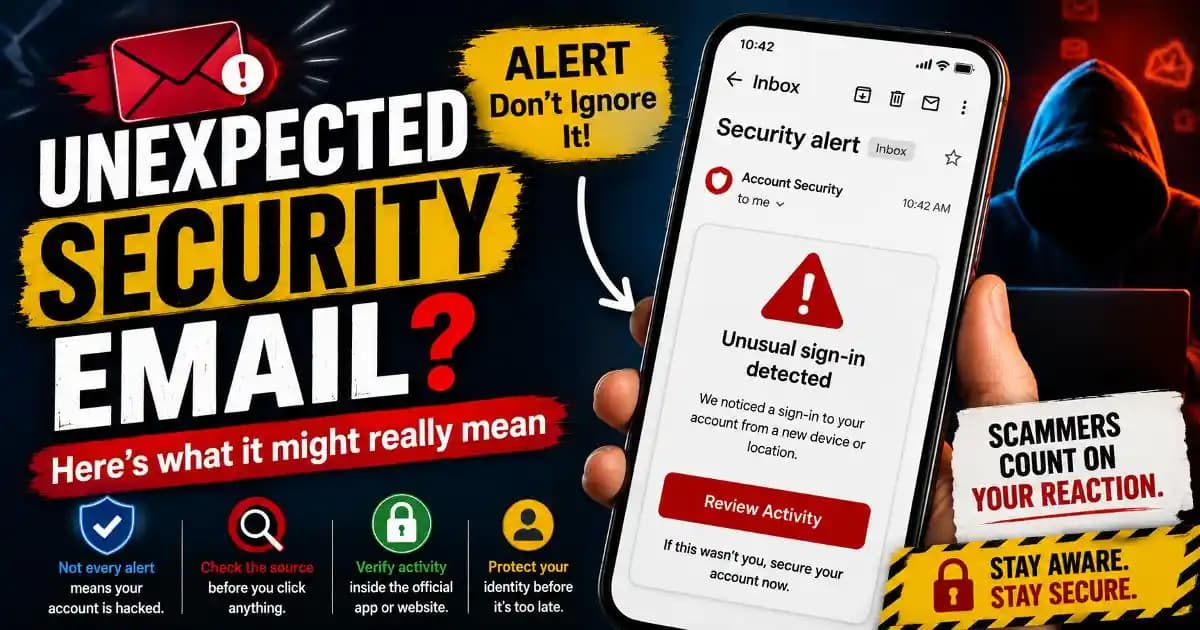
Unexpected security email alerts often arrive at moments when users are not actively thinking about account safety at all. Someone checks their inbox during lunch, late at night, or while commuting and suddenly sees a warning about a login attempt, password reset, unusual activity, or verification request they do not remember initiating.
The first reaction is usually confusion.
Many people immediately wonder whether their account was hacked, whether someone knows their password, or whether the Message itself is fake. That uncertainty has become increasingly common during 2025 and 2026 as online services generate more automated security notifications than ever before.
Modern platforms constantly monitor sign-in behavior, device activity, browser patterns, location changes, and authentication systems. As a result, users now receive far more alerts than they did only a few years ago.
Not every unexpected security email means an account has been compromised. But not every message should be ignored either.
That balance is exactly what makes these emails psychologically difficult for many users.
Why Security Emails Appear Even When Users Did Nothing
Many online platforms now use automated threat detection systems designed to react quickly when account behavior changes.
A person traveling to another city may trigger suspicious login warnings simply because the account appears to access services from a new location. Logging in from a different browser, updating a phone, clearing cookies, using a VPN, or reconnecting through unfamiliar Wi-Fi can also activate automated alerts.
Sometimes the email appears because someone else attempted to access the account unsuccessfully. In those cases, the security system may notify the real owner before any actual breach occurs.
Large platforms like Google, Microsoft, Apple, Meta, banks, streaming services, and cloud providers increasingly prioritize early warnings because preventing account takeover attempts matters more than waiting until damage occurs.
This proactive approach improves account protection overall, but it also increases alert fatigue.
Users now receive so many authentication warnings, verification systems prompts, and suspicious activity notices that many struggle to distinguish routine notifications from genuine threats.
Why These Emails Feel Emotionally Intense
An unexpected security email creates a very specific kind of emotional reaction.
The message usually involves identity, privacy, money, communication, or personal access. Even calm users often experience a brief moment of anxiety when reading phrases like “unusual sign-in detected,” “security alert,” or “verify your account activity.”
Attackers understand this emotional pattern extremely well.
That is why phishing protection today depends heavily on understanding emotional manipulation, not only technical security risks. Many scams deliberately imitate real security notifications because fear lowers skepticism and encourages fast reactions.
A fake message claiming that a password was changed or a payment failed may pressure users into clicking links before thinking carefully.
On mobile phones, the effect becomes even stronger. Users interact with notifications quickly, often while distracted or multitasking. Small screens reduce context, hide full email addresses, and encourage rapid taps instead of careful inspection.
This environment allows both legitimate security systems and fraudulent messages to blend into the same behavioral routine.
How Real Security Emails Usually Behave
Legitimate security alerts often follow recognizable patterns.
Trusted services usually identify the account involved clearly, mention the device or location connected to the event, and direct users back into the official app or website rather than demanding urgent action through random links.
Many companies also avoid requesting sensitive information directly through email. Banks and major technology platforms typically encourage users to verify account activity by signing in manually through official channels.
However, scammers increasingly imitate these behaviors closely.
Modern phishing emails may copy branding, layouts, fonts, button styles, and security language with impressive accuracy. Some even spoof sender names or mimic real support ticket systems.
This is why relying only on visual appearance has become unreliable.
Users who open the official app independently instead of reacting directly through email links are usually far safer.
Why Verification Systems Generate More Alerts in 2026
Authentication systems have expanded dramatically across digital services.
Multi-factor authentication, device verification, suspicious session monitoring, account recovery checks, and AI-based fraud detection systems now operate continuously in the background. These tools aim to reduce identity protection risks before attackers gain deeper access.
As a result, platforms generate more notifications than earlier internet systems ever did.
In some cases, users trigger warnings accidentally themselves. Opening accounts from work networks, changing SIM cards, using password managers on new devices, or restoring backups may all look unusual to automated security systems.
The increase in verification systems also created new opportunities for social engineering scams.
Attackers sometimes intentionally trigger password reset requests or repeated login attempts to create confusion. Victims may then receive real security emails mixed with fake follow-up messages pretending to help solve the issue.
This overlap between legitimate alerts and manipulated communication makes digital literacy more important than simple technical knowledge alone.
Why Some Security Emails Are Completely Fake
Not every alarming email comes from a real security system.
Many phishing campaigns now revolve around fake account warnings because they create urgency immediately. A message claiming an account will be locked, deleted, or suspended often pushes users toward emotional decisions.
Some fake alerts imitate banks. Others target streaming platforms, workplace accounts, cloud storage services, online marketplaces, or social media systems.
The goal is usually credential theft.
Users who click links may land on fake login pages designed to steal passwords, verification codes, or payment information. Some scams also attempt to install malicious software or collect personal details for identity fraud later.
Cybersecurity experts increasingly emphasize behavioral awareness because many phishing attacks no longer look obviously suspicious.
The safest habit is often slowing down long enough to verify the message calmly.
What Users Should Actually Do After Receiving One
The best response is usually careful verification rather than panic.
Opening the official app or typing the service website manually into a browser is often safer than clicking email links directly. Reviewing recent account activity, checking connected devices, and confirming password changes through official settings pages can quickly clarify whether the warning is legitimate.
If the alert appears suspicious, users should avoid replying to the message or downloading attachments. Reporting phishing emails through official platform tools also helps reduce future abuse.
Many consumer protection organizations now recommend enabling multi-factor authentication wherever possible because it significantly reduces the risk of account takeover even when passwords become exposed.
It is also important to understand that receiving an unexpected security email does not automatically mean failure or carelessness.
Modern internet systems generate alerts constantly because digital identity protection has become far more active than in earlier years. The real difference lies in how users respond.
The safest people online are often not the most technical users. They are usually the users who pause long enough to verify whether a message makes sense before reacting emotionally.
Frequently Asked Questions
Why did I receive an unexpected security email?
It may be triggered by a login attempt, new device, location change, VPN use, or automated account monitoring system.
Does an unexpected security email always mean hacking?
No. Many alerts are precautionary and appear before any successful account compromise occurs.
How can I tell if a security email is fake?
Check the sender carefully, avoid clicking links immediately, and verify activity directly inside the official app or website.
Why are security emails becoming more common?
Modern authentication systems monitor accounts more aggressively to detect suspicious behavior earlier.
What should users do after receiving a suspicious alert?
Open the official service manually, review account activity, and avoid sharing passwords or verification codes through email.





