



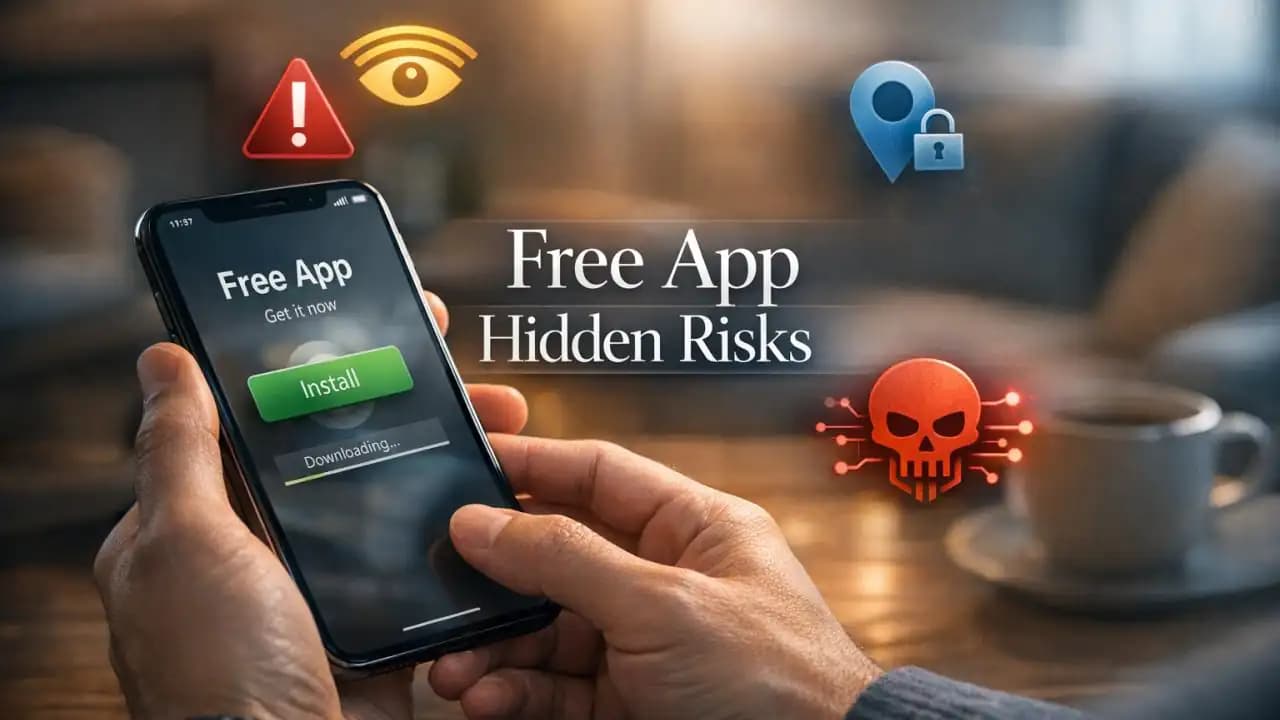
Unsafe apps often enter people’s phones through a simple moment: a quick search for a free flashlight, photo editor, game, or file scanner. The app looks useful, the reviews seem normal, and the install takes seconds. What many users do not see is what happens next, including excessive permissions, constant tracking, unwanted ads, or suspicious background activity.
Free apps may come with hidden dangers, especially when they ask for access that does not match their purpose. A basic wallpaper app Should not need your microphone, contact list, and location all at once. That mismatch is often the first sign that something is wrong.
What Is Happening With Free Apps?
The app economy is built around speed and convenience. Many developers offer free apps to grow fast, then make money through ads, data collection, subscriptions, or in-app purchases. That business model is not always unsafe, but it can create room for abuse.
Some apps are designed mainly to gather user data. Others overload devices with aggressive advertising. In more serious cases, fake or low-quality apps imitate trusted brands, push scam links, install hidden code, or expose users to account theft.
App Stores do remove harmful listings, but unsafe apps still appear regularly. Some stay live long enough to reach thousands or even millions of downloads before action is taken.
Why It Matters in Everyday Life
People use apps for banking, messages, work files, photos, school, travel, and health tracking. When an app is careless or malicious, the impact goes beyond annoyance. It can affect privacy, money, device performance, and personal safety.
A child might install a free game that pushes unsafe ads. A student may download a fake study tool that logs keystrokes. A parent could approve a free utility app without noticing it quietly uploads location data. These are ordinary situations, which is why awareness matters.
Hidden Risks Inside Unsafe Apps
Overreaching permissions
One of the clearest warning signs is permission abuse. Some apps ask for access to contacts, camera, microphone, storage, call logs, or location without a valid reason. Once granted, that access can be used far beyond the app’s visible features.
Data harvesting
Many free apps collect far more information than users expect. This may include device identifiers, browsing patterns, location history, and app usage behavior. The data can be shared with advertisers, analytics firms, or unknown third parties.
Fake updates and hidden code
An app may seem harmless during install, then become risky after an update. Some developers add intrusive features later, hoping users will not review permissions again.
Ad fraud and scam links
Some apps flood screens with pop-ups, redirects, and fake system warnings. These can push users into unsafe websites, subscription traps, or fake tech support pages.
Malware and spyware behavior
In more serious cases, unsafe apps can monitor activity, capture inputs, or download additional harmful files. This is especially risky on devices used for work, banking, or family accounts.
Signs an App May Be Unsafe
There is no single test, but several signs together Should (1) make users pause before installing or keeping an app.
- The app asks for permissions unrelated to its purpose
- The listing has vague descriptions or poor-quality screenshots
- Reviews mention battery drain, pop-ups, or suspicious behavior
- The developer name is unfamiliar and has no clear website
- The app promises unrealistic features or rewards
- The phone becomes slower, hotter, or starts showing more ads after install
Users Should again also pay attention to copycat names. A fake app can look very close to a real service, especially when the logo and design are similar.
Risks to Privacy, Security, and Money
The risks of unsafe apps are not limited to one problem. They often overlap.
Privacy loss
Your contacts, photos, messages, and location may be exposed or shared more widely than expected.
Account compromise
If an app captures login details or session data, it may lead to email, social media, or financial account access.
Financial harm
Some apps trick users into paid subscriptions, in-app charges, or scam purchases. Others create conditions that support broader fraud.
Device instability
Unsafe apps can consume battery, slow performance, and increase crashes or overheating.
Family and workplace exposure
One risky app on a shared or work-connected device can create wider consequences, including leaked files or compromised accounts.
Recent Trends in Unsafe Apps From 2024 to 2026
Recent trends show that unsafe apps are becoming more polished, not more obvious. Instead of looking clearly fake, many now use cleaner design, AI-generated graphics, and convincing descriptions.
Between 2024 and 2026, several patterns have stood out:
- Fake productivity and utility apps mimicking scanners, VPNs, cleaners, and note tools
- More aggressive subscription traps hidden behind free trials
- Higher use of ad fraud through constant redirects and deceptive taps
- Copycat apps targeting mobile banking, crypto, and shopping users
- Data-heavy apps collecting location and behavior data for monetization
Another key trend is permission normalization. Users are becoming used to tapping allow without checking why access is needed. That habit makes unsafe apps harder to spot in practice.
Practical Awareness: How to Protect Yourself
You do not need to stop using free apps. The goal is to install with more caution and review what is already on your phone.
Check the developer first
Look for a real company name, website, support details, and a history of other apps. Unknown publishers are not always dangerous, but they deserve more scrutiny.
Review permissions before and after install
If a calculator asks for your microphone or contact list, that is a reason to stop. Recheck permissions after updates too.
Read the worst reviews, not just the best ones
Low-star reviews often reveal recurring issues like pop-ups, tracking, fake charges, or sudden changes after updates.
Limit sensitive access
Use location only while using the app when possible. Deny contacts, camera, microphone, or storage unless they are clearly needed.
Delete what you do not trust
If an app behaves strangely, remove it. Then clear related permissions, scan the device if possible, and change passwords for important accounts if you suspect misuse.
Simple Tips Before You Tap Install
- Download only from major official app stores
- Avoid apps with exaggerated claims or urgent reward offers
- Compare the app’s permissions to its actual function
- Keep your phone’s operating system updated
- Use mobile security tools if your device or usage needs extra protection
- Review installed apps every few months and remove old ones
Free does not always mean unsafe, but it should never mean automatic trust. A few seconds of checking can prevent a much bigger problem later.
FAQs About Unsafe Apps
Can unsafe apps exist in official app stores?
Yes. Official stores reduce risk, but they do not catch everything immediately. Some harmful or deceptive apps stay available long enough to reach many users.
Are all free apps risky?
No. Many free apps are legitimate. The concern is with apps that misuse permissions, collect excessive data, or use deceptive design and monetization.
What should I do if I already installed a suspicious app?
Uninstall it, review app permissions, restart your phone, check for unusual subscriptions or charges, and change important passwords if the app had sensitive access.
What is the biggest warning sign?
A strong warning sign is when the app requests access that does not match its purpose, such as a simple tool asking for contacts, microphone, and location.
Can unsafe apps affect children and older adults more?
Yes. Users who tap quickly through install prompts or trust familiar-looking icons may be more vulnerable to deceptive apps, ads, and subscription traps.





