



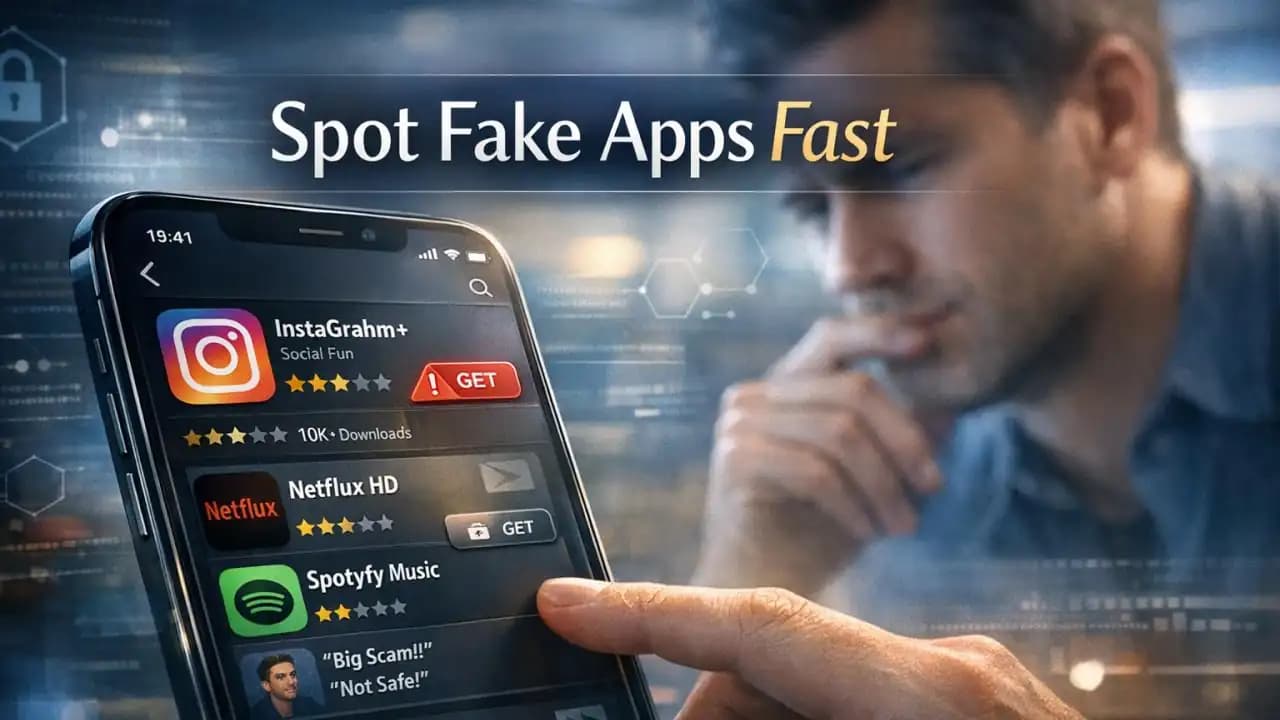
Fake apps are spreading quickly, and the usual scenario is simple: someone searches for a banking tool, shopping app, game helper, or AI utility, sees a familiar logo, and downloads the wrong one in seconds. The app store page looks polished, the screenshots seem normal, and the name is close enough to the real thing. That is exactly why this issue keeps catching people off guard.
What is happening with fake apps right now
Fake apps are apps designed to imitate legitimate services, brands, or useful tools. Some are built to steal login details. Others push intrusive ads, request unnecessary permissions, collect personal data, or trick users into paying for worthless subscriptions.
They often copy logos, app descriptions, and screenshots to blend in with real listings. In some cases, the app itself works just enough to seem genuine while quietly harvesting information in the background.
How fake apps spread so fast
These apps spread because they match real user behavior. People search by brand name, install quickly, and trust app stores more than they should. Attackers take advantage of that.
Common ways they gain visibility
They use names that are nearly identical to trusted apps. They copy icon styles and listing text. Some use fake reviews or inflated download numbers. Others appear during high-demand moments, such as tax season, travel periods, shopping events, or after a new viral tool becomes popular.
Some fake apps also spread through ads, social media posts, text messages, QR codes, and unofficial download links that push users toward a store listing that looks safe.
Signs an app may be fake
There is rarely just one clue. Usually, several small issues appear together.
Warning signs to check before installing
- The developer name is unfamiliar, misspelled, or unrelated to the brand
- The app title looks slightly off, with extra words or strange spacing
- The icon is similar to the real one but not exact
- Reviews are vague, repetitive, or posted in bursts
- The app asks for permissions that do not fit its purpose
- Screenshots look generic, blurry, or inconsistent
- The app was recently published but claims huge popularity
- The support website, email, or privacy policy looks weak or missing
Why it matters
This is not just about downloading something annoying. A fake app can become the first step in a bigger compromise. If a user enters an email password, bank login, one-time code, or card details, the damage can move beyond the phone very quickly.
For families and workplaces, one bad install can also expose contacts, files, location data, or work credentials. That is why app awareness now matters as much as link awareness.
Risks linked to fake apps
The risks depend on the app's real purpose, but several patterns keep showing up.
Common risks
- Account theft through fake login screens
- Financial loss from fraudulent payments or subscriptions
- Identity exposure through contact, location, or ID data collection
- Device slowdown from adware or hidden background activity
- Business risk if work email or company tools are accessed
- Further scams triggered by stolen phone numbers or messages
Recent trends from 2024 to 2026
From 2024 through 2026, fake apps have become more polished. Many now imitate finance, shopping, crypto, AI tools, streaming services, delivery apps, and messaging platforms. Some are built around short-lived trends, which helps them attract fast installs before stores remove them.
Another trend is better visual impersonation. Fake listings increasingly use professional design, copied update notes, and realistic onboarding flows. Some campaigns also combine fake apps with phishing texts or social media promotions, making the store listing feel like the final step in a trusted process.
Security teams are also seeing more fake utility apps, such as PDF scanners, cleaners, VPNs, battery savers, and file recovery tools. These categories are attractive because users often install them quickly without checking the publisher carefully.
Practical awareness: how to protect yourself
You do not need to inspect every app like a security analyst. A few careful checks can remove most of the risk.
Simple protection steps
- Search for the official app from the brand's website when possible
- Check the developer name before looking at reviews
- Compare the app icon and screenshots with the official website
- Read recent negative reviews, not just the top ones
- Avoid apps that request unrelated permissions on first launch
- Keep your phone and security tools updated
- Use multifactor authentication on important accounts
- Delete apps you no longer use or do not recognize
What to do if you already installed one
If you think you downloaded a fake app, act quickly but calmly.
Immediate action steps
- Disconnect the app from sensitive activity and stop using it
- Remove the app from your device
- Change passwords for any accounts used inside the app
- Enable multifactor authentication if it is not already active
- Check your bank, email, and main account activity for unusual access
- Revoke app permissions and linked sessions where possible
- Report the listing to the app store and, if relevant, the real brand
FAQs
Can fake apps appear in official app stores?
Yes. Official stores reduce risk, but they do not catch every harmful or deceptive app immediately.
Are fake apps always malware?
No. Some contain malware, while others focus on phishing, data harvesting, ad fraud, or deceptive subscriptions.
What is the fastest way to verify an app?
Check the official company website and confirm the exact app store link, publisher name, and branding details.
Should I trust high download counts and ratings?
Not on their own. Fake apps may use manipulated reviews, misleading descriptions, or temporary popularity boosts.
What if I entered my password into a suspicious app?
Change that password immediately, update any reused passwords, and review account security settings and login history.





