



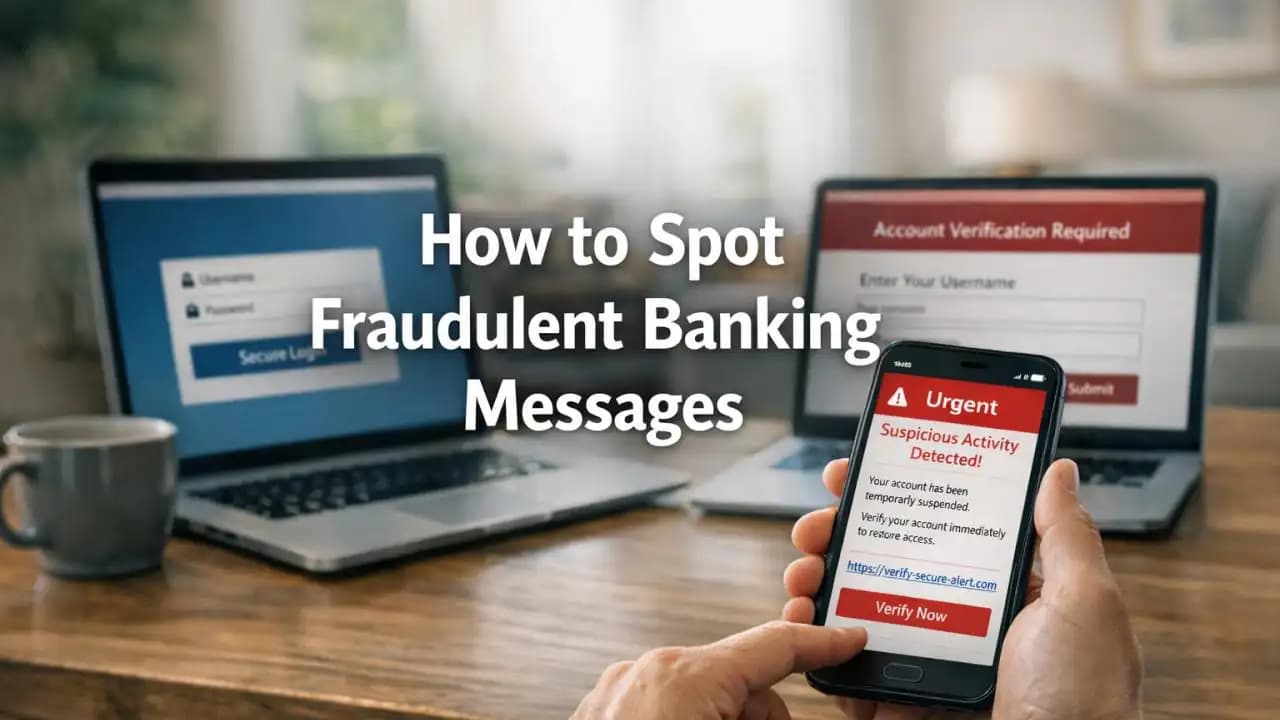
Banking scam messages are getting harder to spot, and that is exactly why this new wave is catching people off guard. Imagine getting a text that says your Account has been restricted after a suspicious payment. It uses your bank's name, the tone feels familiar, and the link looks close enough to be real. In a rushed moment, many people tap before thinking twice.
This scam is Spreading through SMS, email, and messaging apps. The message usually creates urgency, pushes you to verify your identity, and tries to collect your banking login, card details, or one-time passcode.
What is happening with this banking scam
This scam is built to look routine. The message may claim there is an unusual transfer, a new device login, a failed payment, or a temporary hold on your Account. Some versions even copy the style of genuine fraud alerts sent by banks.
The goal is simple: make you react quickly before you slow down and verify the source. In many cases, the message leads to a fake website that closely copies a real bank login page.
Why it feels convincing
Scammers now use cleaner design, better grammar, and realistic timing. A message sent early in the morning, late at night, or during a busy workday can feel believable because it catches people when they are distracted.
Some scams also use spoofed sender names or place the fake text in the same message thread as older legitimate bank notifications. That makes the scam look even more authentic.
How the method works
Most versions follow a familiar pattern. First, you receive a warning message. Next, you are told to click a link or call a number. Then the scammer tries to gather enough information to access your account or approve a payment.
Here is a common flow:
- You receive a text or email about suspicious activity.
- The message pushes you to act immediately to secure your account.
- You click a link that opens a fake banking page.
- You enter your username, password, card number, or personal details.
- You may then be asked for a one-time code sent to your phone.
- The scammer uses that code to log in or approve a transaction in real time.
In some cases, clicking the message does not just lead to a fake website. It may also trigger a phone call from someone pretending to be from the fraud department. That person may sound calm, professional, and helpful while guiding you into giving away sensitive information.
Signs the message is fake
Even a polished scam usually leaves clues. The trick is to stop and check before responding.
Common warning signs
- The message creates pressure with phrases like urgent, immediate action required, or account suspended.
- The link does not match your bank's real website.
- The sender address or phone number looks unusual.
- You are asked to confirm a one-time code, PIN, or full card number.
- The message greets you generically instead of using your name.
- It asks you to log in through a link instead of telling you to use the official app.
Not every fake message contains spelling mistakes anymore. A scam can be polished and still be fraudulent. That is why the safest habit is to avoid using links in unexpected bank messages.
Why it matters
This matters because modern banking scam campaigns do not just target money directly. They also target identity, device access, and trust. One mistaken login can expose account details, saved payees, partial personal records, and security settings.
For many people, banking Happens on a phone in the middle of everyday life. That convenience makes it easier for scammers to catch someone in a distracted moment. A quick tap while commuting, shopping, or helping family can turn into a serious account problem.
Risks if someone falls for it
The risks go beyond a single fraudulent payment. Once scammers get access, they may move quickly.
- Unauthorized transfers or card payments
- Account takeover
- Identity theft using captured personal details
- New scams targeting the same victim again
- Loss of access if account settings are changed
- Emotional stress and time spent recovering accounts
Sometimes the first loss is small. Scammers may test whether an account is active before trying larger transactions later.
Recent trends from 2024 to 2026
From 2024 onward, scam alerts involving banks have become more refined. Fraud campaigns increasingly use message thread hijacking, brand impersonation, and fake support calls. Some phishing pages are now built to load well on mobile, copy security banners, and mimic multi-step verification screens.
Another recent trend is cross-channel fraud. A victim may receive a text first, then a phone call, then an email that appears to confirm the same story. This layered approach makes the scam feel organized and real.
Between 2025 and 2026, awareness experts have also tracked more scams using leaked personal details to make messages feel tailored. Even limited information, such as your name or part of your phone number, can make a fake alert seem trustworthy.
Practical awareness and protection
The safest response is simple: do not use the link in the message. If you want to check your account, open your banking app directly or type the bank's website yourself.
Smart habits that reduce risk
- Use only the official banking app or saved official website
- Never share one-time codes, PINs, or full passwords
- Pause when a message creates urgency
- Turn on account alerts inside the real banking app
- Use strong unique passwords and enable app-based security tools where available
- Keep your device updated to reduce other security risks
If a message says your account is locked or under review, contact your bank using the number on your card or the official website, not the number inside the suspicious message.
What to do if you already clicked
Act quickly, but stay calm. Fast action can limit the damage.
- Stop entering information immediately.
- Open your banking app directly and change your password if possible.
- Contact your bank through official channels and explain what happened.
- Ask them to review recent activity and secure your account.
- If you shared a one-time code, tell the bank right away.
- Monitor email, phone, and other financial accounts for follow-up scams.
It is also wise to scan your device, update passwords on related Accounts, and stay alert for new messages claiming to help you fix the problem. Recovery scams often appear after the first attack.
FAQs
Can a real bank text me about suspicious activity?
Yes, many banks send legitimate alerts. But you should still avoid tapping the link in an unexpected message. Open the official app or contact the bank directly.
What if the message appears in a real text thread from my bank?
That can still be a scam. Sender spoofing and message thread tricks are common. Verify through the official app or website.
Is it safe to call the number in the message?
No. Use the phone number on your bank card or from the official website. Scam messages often include fake support numbers.
What information should I never share?
Never share your full password, PIN, or one-time verification code. A legitimate bank will not ask you to reveal these in response to a message.
Can scammers steal money without my full banking details?
Sometimes yes. Even partial information, login credentials, or a one-time code can be enough to attempt account access or fraud.





