public WiFi phishing page and media account details. Many people encounter this situation while traveling or sitting in a coffee shop just trying to check messages or browse the web. The login screen appears normal at first, but the questions feel unusually personal.
You might pause for a moment and wonder: Why does a café’s Wi-Fi need my phone number? Or Why is this airport Wi-Fi asking me to sign in with Facebook or Google?
In recent months, more users have started asking these questions. And for good reason. Not every login page you see when connecting to public Wi-Fi is legitimate.
Some are simply collecting marketing data. Others may be designed to capture personal information in a way most people never expect.
The Moment When Free Wi-Fi Suddenly Feels Suspicious
Imagine walking into a busy airport lounge.
You open your phone and see the familiar Wi-Fi network name:
“Airport_Free_WiFi”
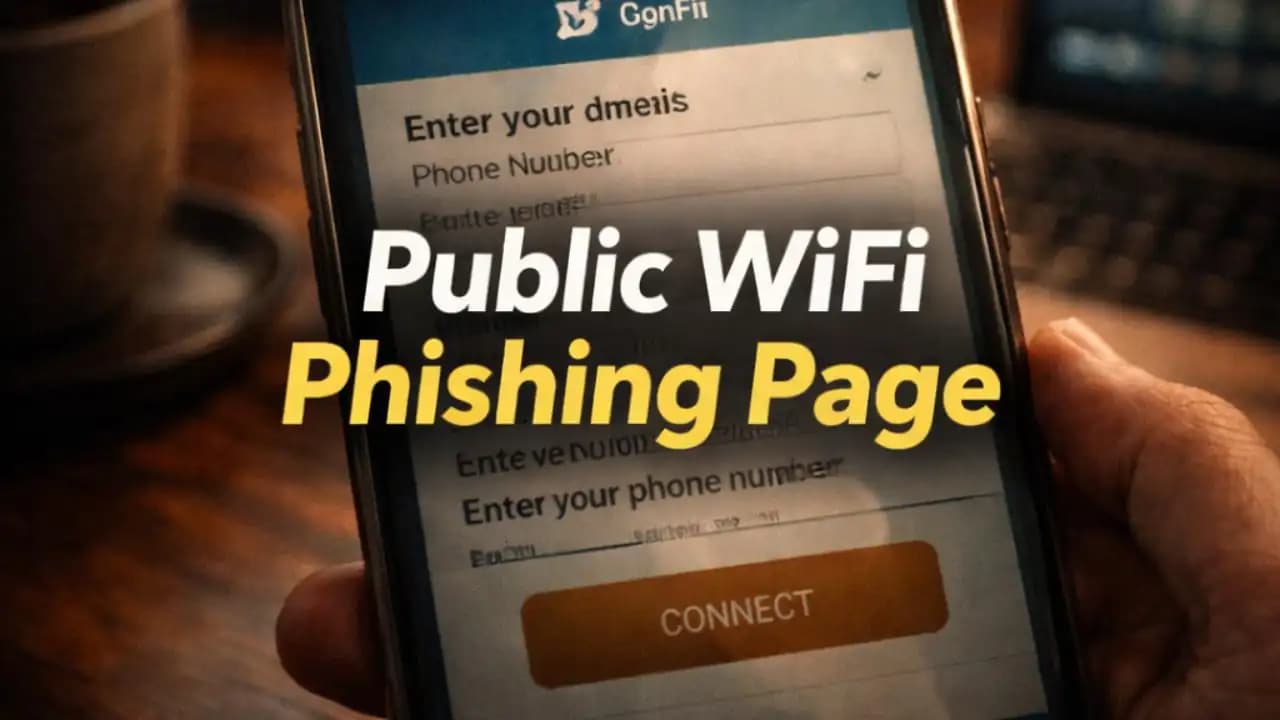
You tap connect. A login page immediately opens in your browser.
This is normal. Many public networks use what’s called a “captive portal”a login screen you must pass before accessing the internet.
But this page doesn’t just ask you to accept terms and conditions.
Instead, it asks for:
- Full name
- Email address
- Phone number
- Country of residence
- Permission to receive promotional messages
Some versions go even further, asking users to log in through:
At that moment, many people feel unsure.
You only wanted internet access for a few minutes. Why does the network need so much information?
This is where confusion often begins.
Why Public Wi-Fi Login Pages Ask for Personal Information
Not every login screen is a scam.
Many businesses use Wi-Fi login pages to collect marketing data. For example, a Shopping mall may request an email address so it can send promotions or newsletters.
Airports sometimes collect basic information to track network usage and improve connectivity.
In these cases, the request for details is part of a data exchange: users receive free internet access, while businesses collect information for marketing insights.
However, this model has created an opportunity for something else to happen.
Because people are used to entering details on Wi-Fi login pages, attackers have started creating fake login portals that look almost identical to the real ones.
And most users never notice the difference.
When a Wi-Fi Login Page Is Actually a Phishing Trap
A public WiFi phishing page is designed to mimic the login screen you expect to see when joining a network.
The visual design often looks convincing.
Logos from cafés, airports, or hotels may appear on the page. The colors match the brand. The wording feels familiar.
But behind the scenes, the page is collecting data directly for someone else.
Instead of Verifying your access to the network, the page may simply store the information you enter.
Some phishing pages even imitate popular login methods like:
- “Sign in with Google”
- “Continue with Facebook”
When users enter credentials on these pages, attackers can potentially capture those details.
In crowded environments like airports or shopping centers, it’s surprisingly easy for attackers to create a network that Appears legitimate.
Many people connect without realizing it.
Why Most People Don’t Question These Login Screens
One reason these phishing pages work so well is that public Wi-Fi has trained people to expect unusual login steps.
Think about how often you’ve seen messages like:
- “Enter your email to continue.”
- “Connect with Facebook for free internet.”
- “Provide your phone number for verification.”
Because these prompts appear in many legitimate places, users rarely stop to question them.
Another factor is urgency.
When people need internet quicklyperhaps to check a boarding pass, send a Message, or confirm a bookingthey often click through login screens without carefully reading the details.
Attackers rely on this behavior.
They know most users just want to get online as quickly as possible.
Why This Matters More Than People Realize
At first glance, sharing an email address may seem harmless.
But the information collected through phishing login pages can be surprisingly valuable.
Even basic details like email addresses and phone Numbers can be used for:
- targeted phishing messages
- spam campaigns
- identity profiling
- password reset attempts
If a user enters social login credentials on a fake page, the risks become even greater.
Attackers may attempt to access associated Accounts or reuse those credentials on other platforms.
In many cases, victims never realize where the data was collected.
Weeks or months later, they simply notice an increase in suspicious Emails or messages.
Why These Incidents Are Appearing More Often in 2024–2025
In the past year, cyberSecurity researchers have observed a growing number of reports involving fake public Wi-Fi login portals.
Several trends have contributed to this pattern.
First, public Wi-Fi remains extremely common. Airports, cafés, hotels, and transportation hubs all offer free networks to attract customers.
Second, attackers now have easier access to tools that replicate login pages quickly. Creating a realistic portal no longer requires advanced technical skills.
Third, many people now travel and work remotely more often than they did a few years ago.
That means users are connecting to unfamiliar networks more frequently.
This combinationhigh demand for Wi-Fi and low awareness of phishing riskshas created an environment where fake login pages can spread quietly.
Small Details That Sometimes Reveal a Suspicious Login Page
Although phishing pages often look convincing, there are subtle signs that something may be unusual.
For example, a login screen may request information that seems unrelated to Wi-Fi access.
You might see fields asking for:
- date of birth
- home address
- social media login credentials
Another clue can be the network name itself.
In busy places, attackers sometimes create networks with names very similar to legitimate ones.
Examples might include:
- Airport_FreeWiFi
- Airport_Free_Wifi_2
- Airport_Public_WiFi
At a quick glance, they appear almost identical.
Most people simply connect to the first option that appears.
The Everyday Habits That Reduce Risk
People don’t need to avoid public Wi-Fi completely.
For many travelers and remote workers, it’s a necessary convenience.
But awareness can make a significant difference.
When connecting to a new network, it can help to pause for a moment and observe the login page carefully.
Does the information requested seem reasonable for internet access?
Does the network name match what the venue advertises?
Even small observations like these can reduce the chances of sharing information on the wrong page.
Over time, users develop a sense for what normal login screens look like.
And when something feels unusual, that instinct often turns out to be correct.
Why Digital Awareness Is Becoming Part of Everyday Life
Public internet access has become a routine part of modern life.
We connect to Wi-Fi while waiting for flights, sitting in cafés, or walking through shopping malls.
The convenience is undeniable.
But the systems behind that convenience are also evolving.
As more services rely on data collection and marketing insights, login pages have become more complexand sometimes more intrusive.
This complexity can blur the line between legitimate requests and suspicious ones.
That’s why digital literacy now includes simple awareness about how online systems work in everyday environments.
Understanding why a login page asks for informationand whether that request makes sensehelps users navigate public networks with more confidence.
Free Wi-Fi will always be useful.
But recognizing when a login page asks for too much is one of the small skills that quietly protects people in a connected world.
FAQ
Why do public Wi-Fi networks ask for email or phone numbers?
Some businesses collect contact information through Wi-Fi login pages for marketing purposes or customer analytics. However, not every request is necessary, and users Should be cautious when too much information is requested.
What is a public WiFi phishing page?
A public WiFi phishing page is a fake login screen that imitates the normal page shown when connecting to a Wi-Fi network. It is designed to collect personal information such as email addresses, phone numbers, or login credentials.
Can someone steal my passwords through a fake Wi-Fi login page?
If a phishing page asks you to sign in using accounts like Google or Facebook and you enter your credentials, attackers may capture that information. This is why unexpected login requests should be treated carefully.
How can I recognize a fake public Wi-Fi network?
Fake networks often use names similar to legitimate ones and may appear alongside real networks in busy places. If a login page asks for unusual information or seems unrelated to internet access, it’s worth taking a closer look before entering details.