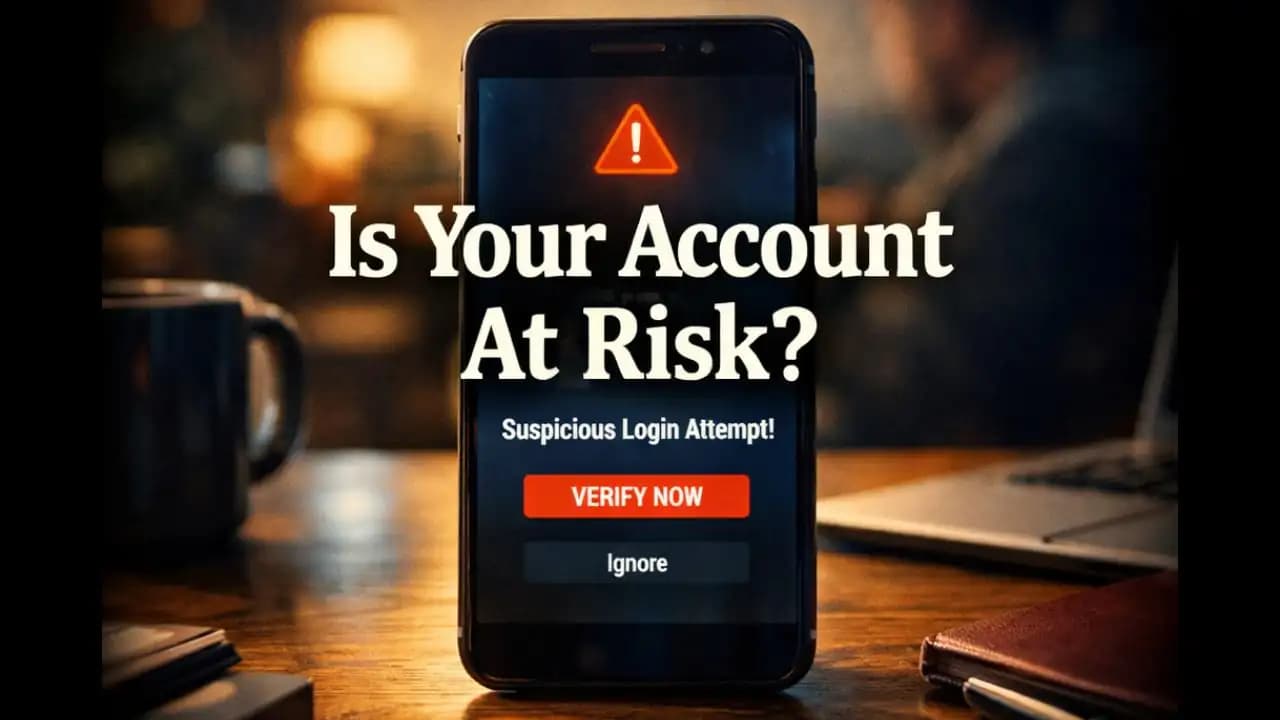
Google security check required email messages have started appearing in many inboxes, often looking urgent and official. The email may warn that suspicious activity was detected on your account and ask you to confirm your identity immediately. At first glance, it looks exactly like something Google would send. The logo is there. The language sounds serious. There’s even a “Secure Your Account” button waiting to be clicked.
For many People, the natural reaction is to act quickly. After all, nobody wants to risk losing access to their email, photos, or documents.
But in many cases, these emails are carefully crafted phishing attempts designed to steal Account credentials.
Understanding how these Messages work and the subtle signs that reveal them can help you avoid becoming the next target.
A Situation Many Gmail Users Recognize
Imagine opening your inbox in the morning and seeing an email with the subject line:
“Security Check Required: Unusual Sign-In Attempt Detected.”
The message appears to come from Google and includes a warning like this:
"We detected unusual activity on your Google Account. To keep your account secure, please complete a security verification immediately."
Below the message is a large button:
“Review Security Activity.”
For someone who relies on Gmail, Google Drive, or YouTube daily, this type of alert can feel alarming.
Many people click the button without hesitation, believing they are protecting their account.
But sometimes that button leads somewhere very different from what it claims.
Why So Many People Are Receiving These Emails
Phishing emails pretending to be Google alerts are not new, but they have increased significantly in recent months.
Cybersecurity researchers observed a noticeable rise in these messages throughout 2024 and continuing into 2025.
There are a few reasons for this trend.
First, Google accounts hold enormous amounts of valuable data. One account may contain years of emails, cloud files, payment methods, and personal contacts.
Second, the warning message feels believable. Real security alerts from Google do exist, so users are already familiar with the concept.
Attackers exploit this trust.
Instead of creating random scam messages, they imitate real security notifications that people expect to receive.
That familiarity makes the phishing attempt much more convincing.
The Hidden Signs the Email May Not Be Real
Even when a phishing email looks polished, there are often subtle details that reveal something isn’t quite right.
The Sender Address Looks Almost Correct
The first clue often appears in the sender address.
At a glance, the email might appear to come from:
But when you examine it carefully, the actual address may look like:
security-alert@google-verify.net
or
support@google-account-security.co
These addresses include the word “Google,” but they are not part of Google’s official domain.
Legitimate Google emails typically come from @google.com.
The Email Creates Immediate Pressure
Another common sign is urgency.
Phishing emails often include warnings like:
"Your account will be suspended in 24 hours."
"Immediate action required."
"Verify your account now to avoid permanent lock."
The purpose of these messages is simple: push users to react quickly without checking details.
Real security notifications usually encourage action but rarely threaten instant account suspension.
The Link Does Not Lead to Google
The most important clue is often hidden behind the button.
If you hover over the link (or long-press on mobile), you may see a destination like:
accounts-secure-review.info/login
Instead of a genuine Google domain.
The page may look exactly like the Google sign-in screen.
But when users enter their password, the information goes directly to the attacker.
The Email Greets You Generically
Real account notifications often include at least part of your email address or name.
Phishing emails frequently use generic greetings such as:
"Dear User"
"Dear Google Customer"
"Account Holder"
While not every legitimate message includes your name, the absence of personal details can be a clue when combined with other warning signs.
Why This Scam Can Be Dangerous
The danger of a fake Google security check required email isn’t the message itself it’s what happens after someone clicks.
If the victim enters login credentials on a phishing page, attackers gain access to the Google account.
Once inside, they may:
• read private emails
• reset passwords on other services
• access cloud files
• impersonate the user to contacts
In some cases, attackers even use the compromised account to send new phishing messages.
This spreads the scam further because recipients trust messages from someone they know.
For people who use their Google account for work, banking alerts, or document storage, the impact can be significant.
How These Phishing Emails Have Evolved in 2024–2025
Older phishing emails were easier to spot.
They often included poor grammar, low-quality logos, or obvious formatting errors.
But attackers have improved their techniques.
Recent phishing campaigns now include:
• professional email layouts
• accurate Google branding
• realistic security language
• convincing login pages
Some even copy formatting from real Google alerts.
Another growing tactic in 2025 involves sending these emails shortly after users sign up for new services or make online purchases.
The timing makes the message feel more believable.
Because of these improvements, the difference between real alerts and fake ones is sometimes only visible in small details.
Simple Ways to Protect Yourself
Fortunately, a few simple habits can greatly reduce the risk of falling for these emails.
Avoid Clicking Links in Security Emails
If you receive an alert about your account, the safest approach is to open your browser and go directly to Google yourself.
Sign in through the official website instead of using the link in the email.
If there truly is a security issue, Google will show it after you log in.
Check the Sender Carefully
Take a moment to read the full sender address.
If the domain is not google.com, the message should be treated with caution.
Look at the Link Destination
On desktop, hovering over a link reveals the destination.
On mobile, pressing and holding the link often shows the full URL.
If the domain looks unfamiliar or unusual, do not proceed.
Enable Two-Factor Authentication
Two-factor authentication adds an extra layer of protection.
Even if someone obtains your password, they cannot access the account without the second Verification step.
Stay Calm When You See Security Alerts
Attackers rely on panic and urgency.
Taking a moment to pause and examine the email often reveals the signs of a phishing attempt.
Awareness Is the Best Defense
Emails claiming “Google security check required” will likely continue appearing in inboxes because they exploit something simple: trust.
People trust familiar brands and respond quickly when they believe their account might be at risk.
But legitimate companies rarely demand immediate action through alarming emails.
By slowing down, checking the sender, and visiting the official website directly, users can avoid most phishing attempts.
In many cases, spotting just one small inconsistency is enough to reveal that the message was never from Google at all.
FAQ
Is a Google security check required email always a scam?
No. Google sometimes sends legitimate security alerts if unusual activity is detected. However, phishing emails often imitate these alerts, so it’s important to Verify the sender and avoid clicking links directly.
How can I verify if a Google security alert is real?
Open a new browser window and sign in to your Google account directly at the official website. If there is a real security issue, Google will display it in your account notifications.
What should I do if I clicked a link in a suspicious Google email?
Immediately change your Google account password and review recent security activity. If possible, enable two-factor authentication to prevent unauthorized access.
Why do scammers target Google accounts so often?
Google accounts often contain emails, files, payment information, and access to many other services. This makes them valuable targets for attackers attempting to steal data or spread further scams.